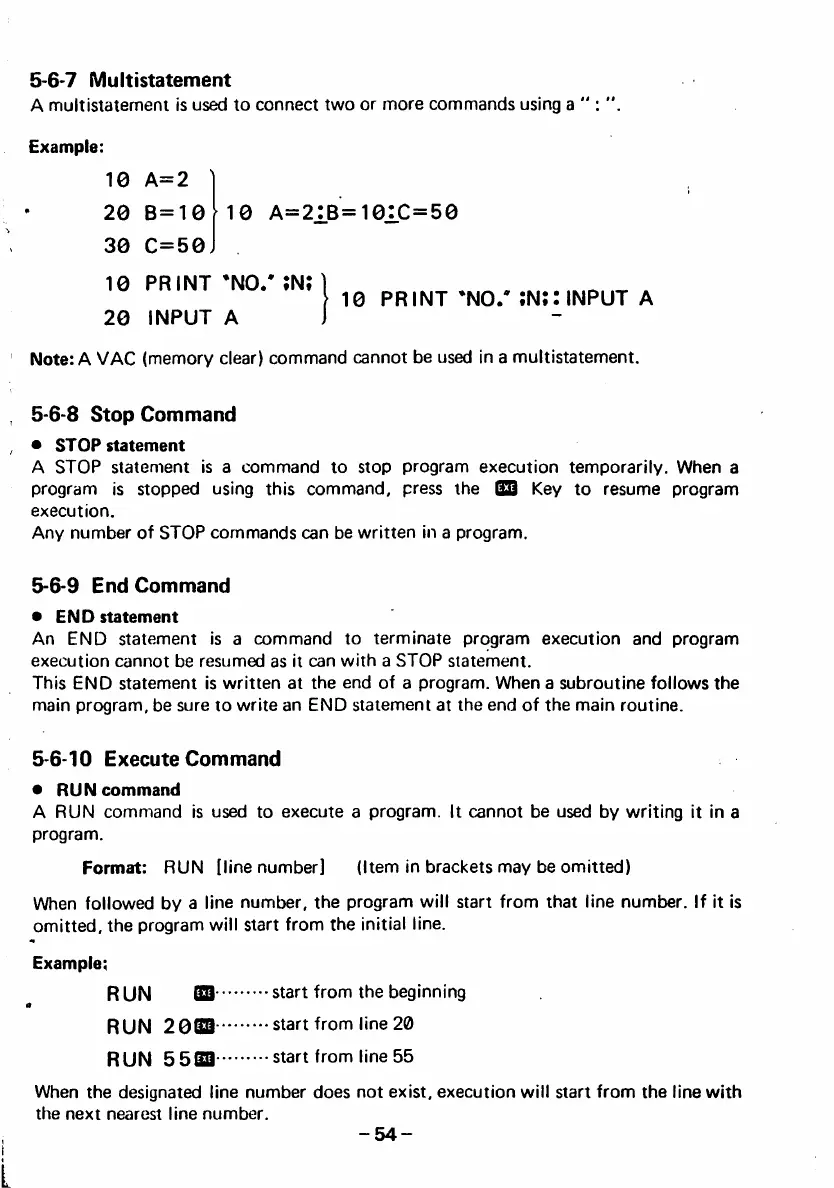
5-6-7 Multistatement
A multistaterneni is used to connect two or more commands using a
Example:
10 A=2
20 B=10 10 A=21B=101C=50
30 C=50
10 PRINT *N0/ ;N;
20 INPUT A
Note: A VAC (memory clear) command cannot be used in a multistatement.
5-6-8 Stop Command
• S T O P s t a t e m e n t
A STOP statement is a command to stop program execution temporarily. When a
program is stopped using this command, press the IS3 Key to resume program
execution.
Any number of STOP commands can be written in a program.
5-6-9 End Command
• E N D s t a t e m e n t
An END statement is a command to terminate program execution and program
execution cannot be resumed as it can with a STOP statement.
This END statement is written at the end of a program. When a subroutine follows the
main program, be sure to write an END statement at the end of the main routine.
5-6-10 Execute Command
• R U N c o m m a n d
A RUN command is used to execute a program. It cannot be used by writing it in a
program.
Format: RUN (line number] (Item in brackets may be omitted)
When followed by a line number, the program will start from that line number. If it is
omitted, the program will start from the initial line.
Example;
R U N m •■ • s t a r t f r o m t h e b e g i n n i n g
a
RUN 208 3 s t ar t fr o m l i ne 20
RUN 5533 • •• start from line 55
When the designated line number does not exist, execution will start from the line with
the next nearest line number.
-54-
I
10 PRINT ;N;: INPUT A



 To Next Page