EasyManua.ls Logo

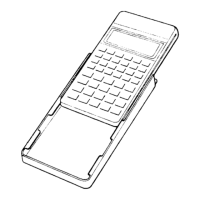
Casio PF-8000 - Nomenclature and Operation; Display Window and Controls; Key Sections Overview

Casio PF-8000
29 pages
Print Icon
To Next Page IconTo Next Page
To Previous Page IconTo Previous Page
Loading...
ismok
Display
window
Power
switch
Special
operation
keys
-^s^"-^
L
__j
|
-•in-f?
s
i
ir.
n
PF-8000
J
*
CASIO
SUP.PK-~.~~~~
DATA BANK
r-^~^~
^_
^
°
"
~l
[OFF
MEMO
TEL
*°
OATAIIM/LJLJ
.«
secner
rS^-^«"«"-SP
COMMAND
FINGER/TOUCH
1
Ac
C
C
e"c
1
1
1
1
1
1
1
1
!
i
L
"
X
r
cl
1
>C|
_
J
-
1
1
1
1
1
1
1
1
~~
~~~
~
1
3
•o!,'
~3Bd
'>!
int
key
r^_.__.
i
t^/m
,s
a
j
r
1
i
"-.
s|
1
B:
;
^B
«
q
'
MT
5
is
;:;
-
-
^
Cle:
'
Root
key
-.1
1
1
1
1
-J
r
kei
o
Contrast
control
Memory
keys
Arithmetic
operation keys
Numerical
f*
keys/decimal
key
no»uri
311
O3
y'0^"
^
isttf
-*-
U
-
3VA
0
rc|
p-
All
Reset
button
j
KSET
(
CAKO
PF80OO
r
Sv.
.
.-J
i

Related product manuals