EasyManua.ls Logo

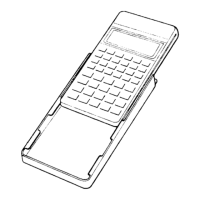
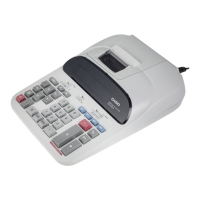
Casio PR-420A - User Manual

Casio PR-420A
17 pages
Print Icon
To Next Page IconTo Next Page
Loading...
R
PR-420A (ZX-516C)
DR-1212LA (ZX-516D)
DEC. 1995
(without price)
INDEX

Questions and Answers

  • R
    Rita NashAug 12, 2025
    What to do if Casio PR-420A has poor printing, the motor doesn't stop, or digits are missing?
    • I
      ijonesAug 12, 2025
      If you're experiencing poor printing, a motor that won't stop, or missing digits on your Casio Calculator, the timing signal might be bad. Check the detector of the printer block and the timing signal. Also, the printer magnet might be defective.
  • T
    Teresa TerrellAug 20, 2025
    Why does my Casio Calculator have no print?
    • H
      Heather HallAug 20, 2025
      If your Casio Calculator isn't printing, it could be due to poor voltage VM. Check if VM=17V while printing. Another possible cause is a defective motor.
  • A
    Andrea BrockAug 27, 2025
    What to do if my Casio PR-420A Calculator has no display?
    • L
      Linda PittmanAug 27, 2025
      If your Casio Calculator display is blank, it could be due to several reasons: * No voltage at VF1, VF2. Check VF1 and VF2. * No digit signal or no segment signal. Check the pulse signals from LSI. * Defective display tube. This is the likely cause if VF1, VF2, Digit and Segment signals are OK.
  • F
    Francisco ButlerSep 2, 2025
    Why is the display on my Casio PR-420A Calculator poor?
    • J
      Jeremy WilsonSep 3, 2025
      A poor display on your Casio Calculator could stem from a defective LSI, short or open circuits between digit and segment signals (check between LSI and display tube), or a defective display tube.

Casio PR-420A Specifications

General IconGeneral
BrandCasio
ModelPR-420A
CategoryCalculator
LanguageEnglish

Related product manuals