EasyManua.ls Logo

Casio Pro Trek PRW-5100G-4 - User Manual

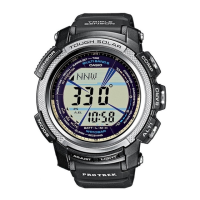
Casio Pro Trek PRW-5100G-4
14 pages
Print Icon
To Next Page IconTo Next Page
Loading...
Operation Guide 5114 5214
E-1
ENGLISH
Congratulations upon your selection of this CASIO watch.
Applications
The built-in sensors of this watch measure direction, barometric pressure, temperature and altitude.
Measurement results are indicated by the second hand of the watch and on the digital display. Such
features make this watch useful when hiking, mountain climbing, or when engaging in other such outdoor
activities.
Warning !
The measurement functions built into this watch are not intended for taking measurements that
require professional or industrial precision. Values produced by this watch should be considered
as reasonable representations only.
When engaging in mountain climbing or other activities in which losing your way can create a
dangerous or life-threatening situation, always use a second compass to confi rm direction
readings.
Note that CASIO COMPUTER CO., LTD. assumes no responsibility for any damage or loss
suffered by you or any third party arising through the use of this product or its malfunction.
E-2
About This Manual
Depending on the model of your watch, display text appears either as
dark fi gures on a light background, or light fi gures on a dark
background. All sample displays in this manual are shown using dark
gures on a light background.
Button operations are indicated using the letters shown in the
illustration.
Note that the product illustrations in this manual are intended for
reference only, and so the actual product may appear somewhat
different than depicted by an illustration.
(Light)(Light)
(Light)(Light)
E-3
Things to check before using the watch
1. Hold down
D
for about two seconds to enter the Timekeeping Mode, and then observe the
movement of the second hand.
Is the second hand moving smoothly at one-second intervals?
Go to step 2.
Power is low. Charge the watch by placing it in
a location where it is exposed to light. For
details, see “Charging the Watch” (page E-9).
NO
YES
YES
Is the second hand moving at two-second
intervals or is it stopped completely?
The watch is charged sufficiently. For details
about charging, see “Charging the Watch”
(page E-9).
NEXT
2. Check the Home City and the daylight saving time (DST) setting.
Use the procedure under “To confi gure Home City settings” (page E-28) to confi gure your Home City and
daylight saving time settings.
Important!
Proper time calibration signal reception and World Time Mode data depend on correct Home City, time,
and date settings in the Timekeeping Mode. Make sure you confi gure these settings correctly.
E-4
3. Set the current time.
To set the time using a time calibration signal
See “To get ready for a receive operation” (page E-18).
To set the time manually
See “Confi guring Current Time and Date Settings Manually” (page E-31).
The watch is now ready for use.
For details about the watch’s radio controlled timekeeping feature, see “Radio Controlled Atomic
Timekeeping” (page E-15).
E-5
Contents
E-2 About This Manual
E-3 Things to check before using the watch
E-9 Charging the Watch
E-14 To recover from the sleep state
E-15 Radio Controlled Atomic Timekeeping
E-18 To get ready for a receive operation
E-20 To perform manual receive
E-21 To check the latest signal reception results
E-21 To turn auto receive on and off
E-23 Mode Reference Guide
E-27 Timekeeping
E-28 Confi guring Home City Settings
E-28 To confi gure Home City settings
E-30 To change the Daylight Saving Time (summer time) setting
E-31 Confi guring Current Time and Date Settings Manually
E-31 To change the current time and date settings manually
E-6
E-34 Taking Direction Readings
E-34 To take a direction reading
E-37 To perform magnetic declination correction
E-38 To perform bidirectional calibration
E-39 To perform northerly calibration
E-40 To set a map and fi nd your current location
E-42 To fi nd the bearing to an objective
E-44 Taking Barometric Pressure and Temperature Readings
E-44 To enter and exit the Barometer/Thermometer Mode
E-45 To take barometric pressure and temperature readings
E-50 To calibrate the pressure sensor and the temperature sensor
E-52 Taking Altitude Readings
E-53 To take an altimeter reading
E-55 To select the altitude auto measurement method
E-59 To change the altitude differential scale step unit
E-59 To set the altitude differential start point
E-60 To use the altitude differential value
E-62 To specify a reference altitude value
E-63 To create a manual save record
E-69 Specifying Temperature, Barometric Pressure, and Altitude Units
E-69 To specify temperature, barometric pressure, and altitude units
E-71 Precautions Concerning Simultaneous Measurement of Altitude and Temperature
E-7
E-72 Viewing Altitude Records
E-72 To view altitude records
E-74 To delete a single altitude record
E-74 To delete all altitude records
E-75 Using the Stopwatch
E-75 To enter the Stopwatch Mode
E-75 To perform an elapsed time operation
E-75 To pause at a split time
E-76 To measure two nishes
E-77 Using the Countdown Timer
E-77 To enter the Countdown Timer Mode
E-77 To specify the countdown start time
E-78 To perform a countdown timer operation
E-78 To stop the alarm
E-79 Using the Alarm
E-79 To enter the Alarm Mode
E-80 To set an alarm time
E-81 To test the alarm
E-81 To turn an alarm and the Hourly Time Signal on and off
E-81 To stop the alarm
MO1103-EA

Questions and Answers

Overview

This document describes the CASIO Operation Guide 5114/5214, a multi-functional watch equipped with sensors for direction, barometric pressure, temperature, and altitude. It's designed for outdoor activities like hiking and mountain climbing, providing essential data through its digital display and analog hands.

Function Description

The watch offers a wide array of functions:

  • Timekeeping Mode: Displays current time (hour, minute, second), date (month, day), and day of the week. It can also show a barometric pressure graph. Supports 12-hour and 24-hour formats.
  • Radio Controlled Atomic Timekeeping: Automatically receives time calibration signals up to six times a day (five for Chinese signals) to ensure accurate timekeeping. It supports signals from Mainflingen (Germany), Anthorn (England), Fort Collins (USA), Fukushima/Fukuoka/Saga (Japan), and Shangqiu (China).
  • Compass Mode: Detects magnetic north, indicated by the second hand, and displays one of 16 cardinal directions and an angle value (0° to 359°) on the digital display. Readings are updated every second for about 20 seconds.
  • Barometer/Thermometer Mode: Measures and displays barometric pressure (260 to 1,100 hPa or 7.65 to 32.45 inHg) and temperature (-10.0 to 60.0°C or 14.0 to 140.0°F). It automatically takes readings every two hours and every five seconds for the first three minutes after entering the mode, then every two minutes. The second hand indicates barometric pressure differential. A barometric pressure graph shows past measurements for up to 16 hours.
  • Altimeter Mode: Measures altitude based on air pressure. Display range is -10,000 to 10,000 m (-32,800 to 32,800 ft.) with a display unit of 5 m (20 ft.). It supports two auto measurement methods: 5-second intervals for 1 hour, or 5-second intervals for the first 3 minutes followed by 2-minute intervals for 10 hours. The second hand indicates altitude differential. An altitude graph shows auto measurement readings over time.
  • Data Recall Mode: Allows viewing of stored altitude records, including manual save records (up to 14 records with altitude, date, time) and auto save values (high altitude, low altitude, cumulative ascent, cumulative descent).
  • Stopwatch Mode: Measures elapsed time, split times, and two finishes with a measuring unit of 1/100 second and a capacity of 59'59.99".
  • Countdown Timer Mode: Functions as a countdown timer with a measuring unit of 1 second and a countdown start time setting range of 60 minutes (1-minute unit). An alarm sounds when the countdown ends.
  • Alarm Mode: Features five independent daily alarms and an Hourly Time Signal.
  • World Time Mode: Displays the current time in 29 cities (29 time zones) around the globe, with support for Daylight Saving Time/Standard Time switching.
  • Illumination: LED backlight with selectable duration (approximately 1.5 or 3 seconds). Features an Auto Light Switch that automatically turns on illumination when the watch is angled towards the face in low light conditions.
  • Power Saving: Automatically enters a sleep state in the dark to conserve power, affecting display and function availability.

Important Technical Specifications

  • Accuracy at normal temperature: ±15 seconds a month (without signal calibration).
  • Calendar: Full auto calendar from 2000 to 2099.
  • Power Supply: Solar cell and one rechargeable battery.
  • Approximate battery operating time: 5 months (from full charge to Level 4) under specified conditions (e.g., 18 hours display on, 6 hours sleep, 1 illumination operation/day, 10 seconds alarm operation/day, 10 compass operations/week, 10 hours altimeter measurement/month, barometric pressure readings and graph updating every two hours, 4 minutes signal reception/day).
  • Low-temperature resistance: -10°C/14°F.
  • Bearing Sensor Precision: Direction within ±10°, North indicated by second hand error of ±2° for each mark on the scale. Values guaranteed for -10°C to 40°C (14°F to 104°F).
  • Pressure Sensor Precision:
    • Altimeter: For 0 to 6000 m, ±(altitude differential × 2% + 15 m); for 6000 to 10000 m, ±(altitude differential × 2% + 25 m). Effect of variable temperature: ±50 m every 10°C.
    • Barometer: For 0 to 6000 m, ±(pressure differential × 2% + 2 hPa); for 6000 to 10000 m, ±(pressure differential × 2% + 5 hPa). Effect of variable temperature: ±5 hPa every 10°C.
    • Values guaranteed for -10°C to 40°C (14°F to 104°F). Precision is lessened by strong impact or temperature extremes.
  • Temperature Sensor Precision: ±2°C (±3.6°F) in range of -10°C to 60°C (14.0°F to 140.0°F).

Usage Features

  • Mode Navigation: Buttons are used to cycle through modes. Holding a button for two seconds typically returns to Timekeeping Mode. Sensor modes can be entered directly from Timekeeping Mode.
  • Home City Settings: Users can configure their Home City and Daylight Saving Time (DST) settings, which are crucial for proper time calibration signal reception and World Time Mode data.
  • Manual Time/Date Settings: Allows manual adjustment of current time and date settings when time calibration signals are unavailable.
  • Sensor Calibration:
    • Magnetic Declination Correction: Inputs a magnetic declination angle to allow the watch to indicate true north.
    • Bidirectional Calibration: Calibrates the bearing sensor's accuracy in relation to magnetic north, recommended when the watch becomes magnetized or when changing environments.
    • Northerly Calibration: "Teaches" the watch which way is north using another compass.
    • Pressure/Temperature Sensor Calibration: Allows adjustment of calibration values to match readings from another reliable device.
  • Altitude Measurement Methods: Users can choose between altitude measurement based on preset ISA values or by specifying a reference altitude.
  • Altitude Differential: The second hand indicates the difference between a user-set start point altitude and the current altitude.
  • Manual Save Records: Allows saving current altitude readings with date and time in the Altimeter Mode.
  • Auto Return Features: The watch automatically returns to Timekeeping Mode after a period of inactivity in certain modes (Data Recall, Alarm, Receive, Hand Home Position Adjustment) or if a setting screen with flashing digits is left unattended.
  • Button Operation Tone: Can be turned on or off, though alarms and hourly signals will still sound.

Maintenance Features

  • Charging: The watch is solar-powered and charges when exposed to light. Users are advised to leave it in a well-lit location when not wearing it. The battery power indicator (Levels 1-5) shows the charge status.
  • Power Recovery Mode: If repeated sensor measurements, illumination, or tone use cause the watch to enter power recovery, a flashing 'R' indicator appears. Normal operation resumes once battery power recovers (approx. 15 minutes).
  • Hand Home Position Adjustment: The watch performs auto correction of hand home positions hourly. Users can also manually adjust them if strong magnetism or impact causes misalignment.
  • Troubleshooting Guide: The manual includes a comprehensive troubleshooting section for common issues related to time setting, sensor readings, charging, and signal reception.
  • Precautions: Warnings are provided regarding the use of measurement functions (not for professional precision), handling the watch when hot during charging, and potential interference with sensor readings from strong magnetism, metal objects, or temperature changes. Users are advised to avoid taking direction readings in trains, boats, airplanes, or ferroconcrete structures.
  • Battery Life Conservation: Frequent use of illumination, especially the auto light switch, can run down the battery. Storing the watch in the dark for long periods can also deplete power.

Casio Pro Trek PRW-5100G-4 Specifications

General IconGeneral
BrandCasio
ModelPro Trek PRW-5100G-4
CategoryWatch
LanguageEnglish

Related product manuals