11
E
Getting Started
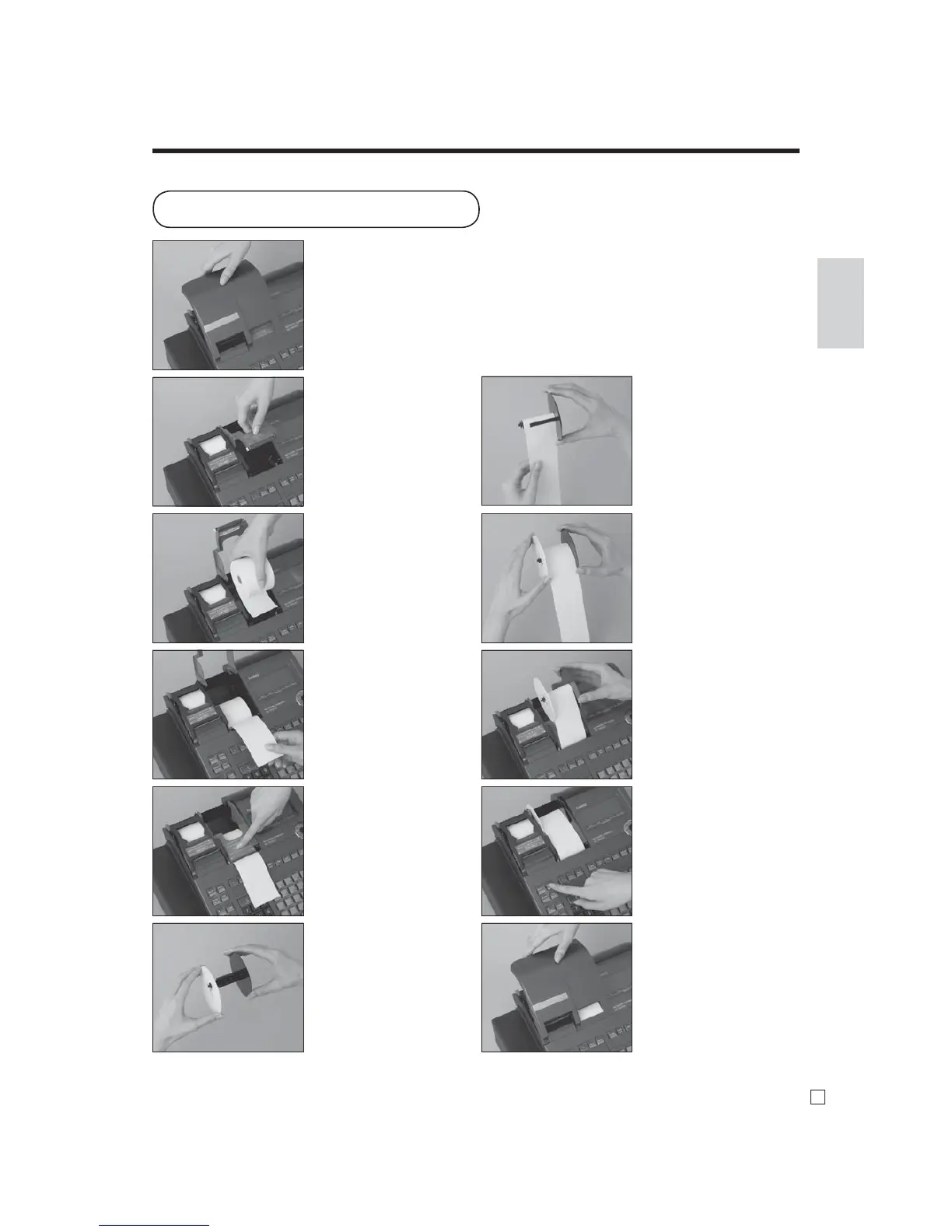
To install journal paper
Step 1
Remove the printer cover.
Step 2
Open the platen arm.
Step 3
Ensuring the paper is being
fed from the bottom of the
roll, lower the roll into the
space behind the printer.
Step 4
Put the leading end of the
paper over the printer.
Step 5
Close the platen arm slowly
until it locks steadily.
Step 6
Remove the paper guide of
the take-up reel.
Step 7
Slide the leading end of the
paper into the groove on the
spindle of the take-up reel
and wind it onto the reel two
or three turns.
Step 8
Replace the paper guide of
the take-up reel.
Step 9
Place the take-up reel into
place behind the printer,
above the roll paper.
Step 10
Press the j key to take up
any slack in the paper.
During machine installation,
press the j key after
power on.
Complete
Replace the printer cover.



 To Next Page