16
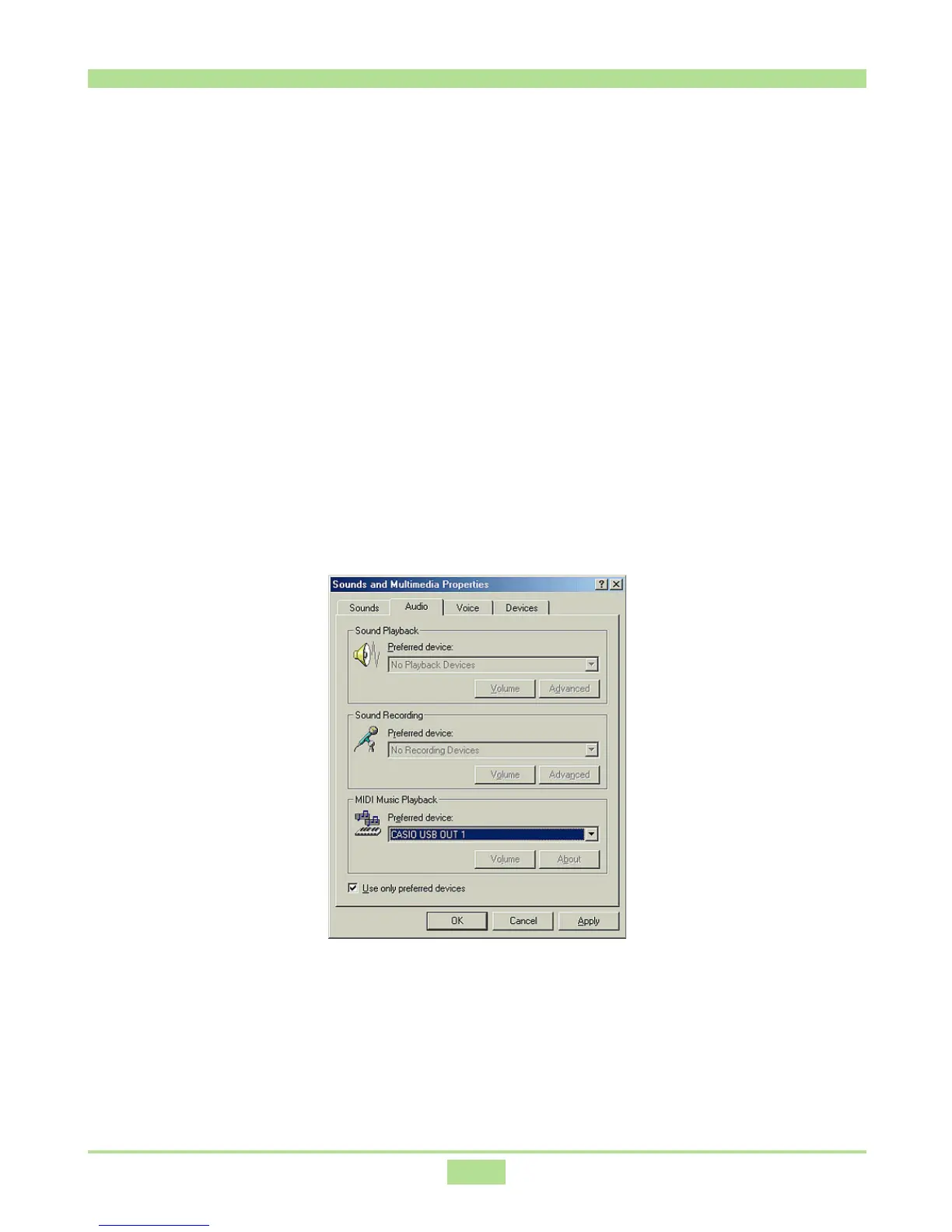
Specifying the MIDI Data Output Destination
1.
On the Windows Start menu, point to Settings and then click Control
Panel.
2.
Double-click the Sounds and Multimedia icon.
3.
Click the Audio tab.
4.
Under MIDI Music Playback, select CASIO USB OUT 1, LK USB OUT 1
or MK USB OUT 1* for Preferred device.
* The contents of this dialog box depend on your CASIO musical instrument.
See “7. Connecting to a Computer” for more information.



 To Next Page