Operation and Handling
caso Ice Master 41
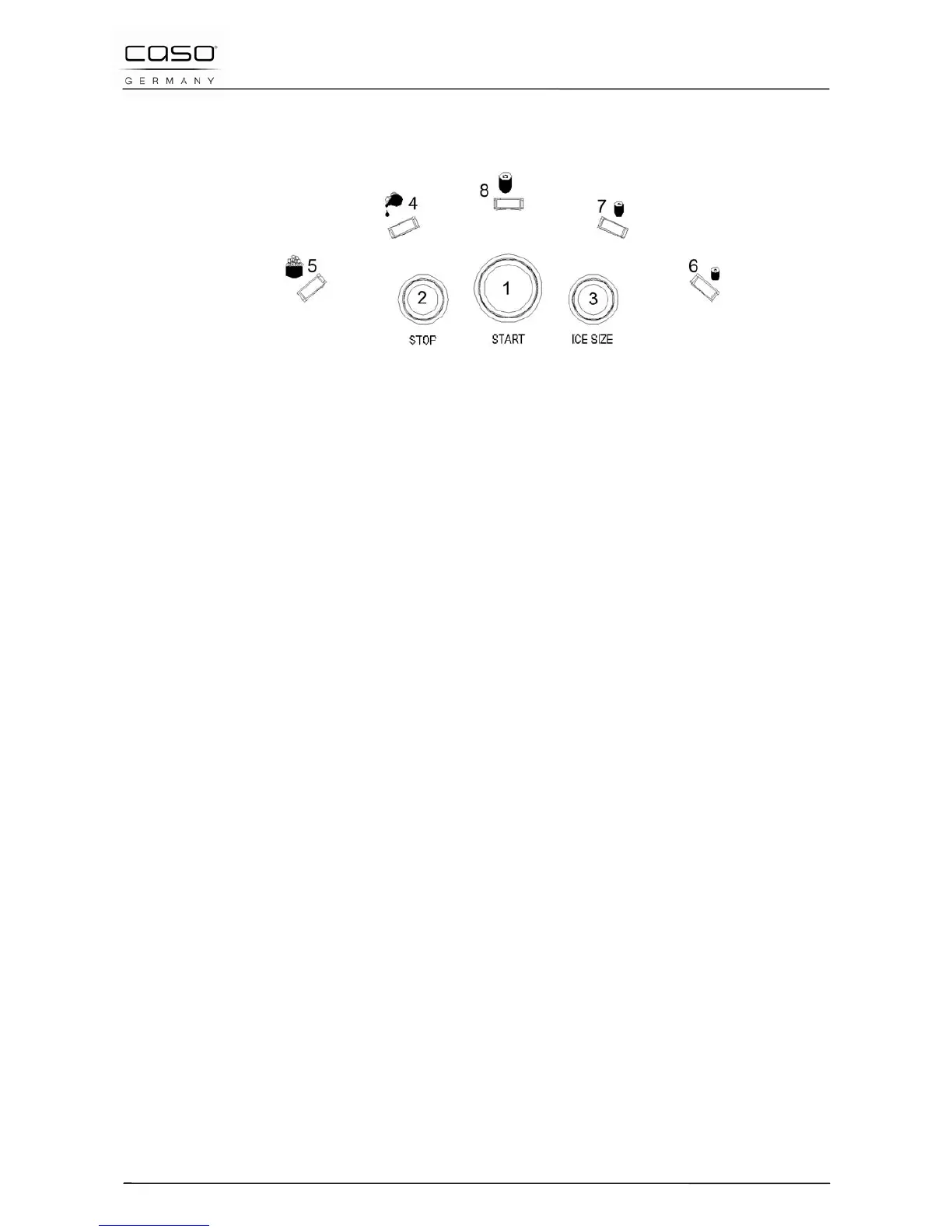
15.2 Panel
1. Start button:The unit will enter the standby status, the ice
selection mode light will flash green.
2. Stop button, the unit will be back to the status of standby;
3. ICE SIZE button: When pressing the button one time, the ice
selection will be small mode, two times will be medium and
three times is big size ice cubes. Accordingly to your choice the
symbol (6,7,8) flashes green.
4. Lack of water indicator (red): The ice maker will automatically
check the water volume in the water tank. If the water volume is
too low, the red light will be on. The ice maker will stop working
automatically. When adding the appropriate water to the water
tank , the water low indicator light will shut-off and the unit will
automatically restart.
5. Ice full indicator (red): When the ice basket is full, the
indicator will turn red, the unit will still working until the next
round. And then stop and enter into the standby status. When
the ice cubes are moved, the ice full indicator light will shut-off
and the unit will automatically restart.



 To Next Page