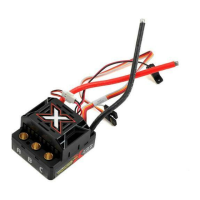
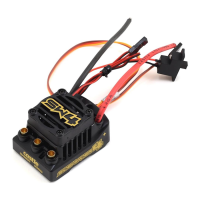
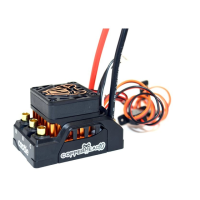
RECEIVER CONNECTION
RX Wire Plug the RX wire into the throttle (#) chnnel on your receiver.
AUX Wire
The AUX wire llows you to djust setting “on-the-fly” using
n uxiliry chnnel on your receiver. The AUX wire function is
disbled by defult nd is progrmmble vi Cstle Link. Plug
this wire into the uxiliry (#/#) chnnel on your receiver.
You UST connect the AUX wire to n open chnnel on your
receiver even if you re not using the Auxiliry function.
TRANSMITTER PROGRAMMING REFERENCE
AUDIBLE ALERT REFERENCE
• •
Strt Fil
•
–
Low Voltge Cutoff
–
•
Over-Current
• • •
Sensors Lost
• •
–
Rdio Glitch
•
–
•
Over-Temperture
•
–
–
Excessive Lod
–
• •
AUX ire Rdio Glitch
–
•
–
BEC Over-Temperture
• • • •
Dt Log Full rning
–
–
•
otor Over-Temperture
1.Brake/Reverse Type 3. Brake Amount 5. Motor Type
• ith Reverse* • % • Brushless*
• ithout Reverse • %* • Brushed Reversing
• Crwler Reverse • %
• % 6. Motor Direction
2.Voltage Cutoff • orml*
• Auto-Lipo* 4. Drag Brake • Reverse
• one • Disbled*
• %
• %
• %
• Crwler Full On
*Defult Setting
DRIVER’S ED GUIDE
For more detiled informtion regrding Getting Strted,
Throttle Clibrtion, using Cstle Link, or Trnsmitter
Progrmming, plese red the Driver’s Ed Guide by visiting:
www.cstlecretions.com/mbXLX2DEG
Or scn this QR code with your smart device to open the link.
GETTING STARTED
. Solder high qulity bttery connector to the ESC (see
Driver’s Ed Guide
“Connectors nd Power iring”
).
. ount the ESC nd motor into the vehicle.
. Connect motor to the ESC (see
Driver’s Ed Guide, “otor iring”
).
. Plug in the RX wire into throttle (#) nd AUX wire into uxillry (#/#).
5. Clibrte your ESC to your rdio. (See below).
YOU ARE NOW READY TO GO!
THROTTLE CALIBRATION
1. Rdio on, bttery plugged in, ESC o.
2. Hold full throttle, turn ESC on (green LED).
3. hen red LED flshes, go to full reverse.
4. hen yellow LED flshes, go to neutrl.
5. Armed nd redy!


 To Next Page
 Loading...