8
KNOW YOUR CONTACT GRILL GR 7010
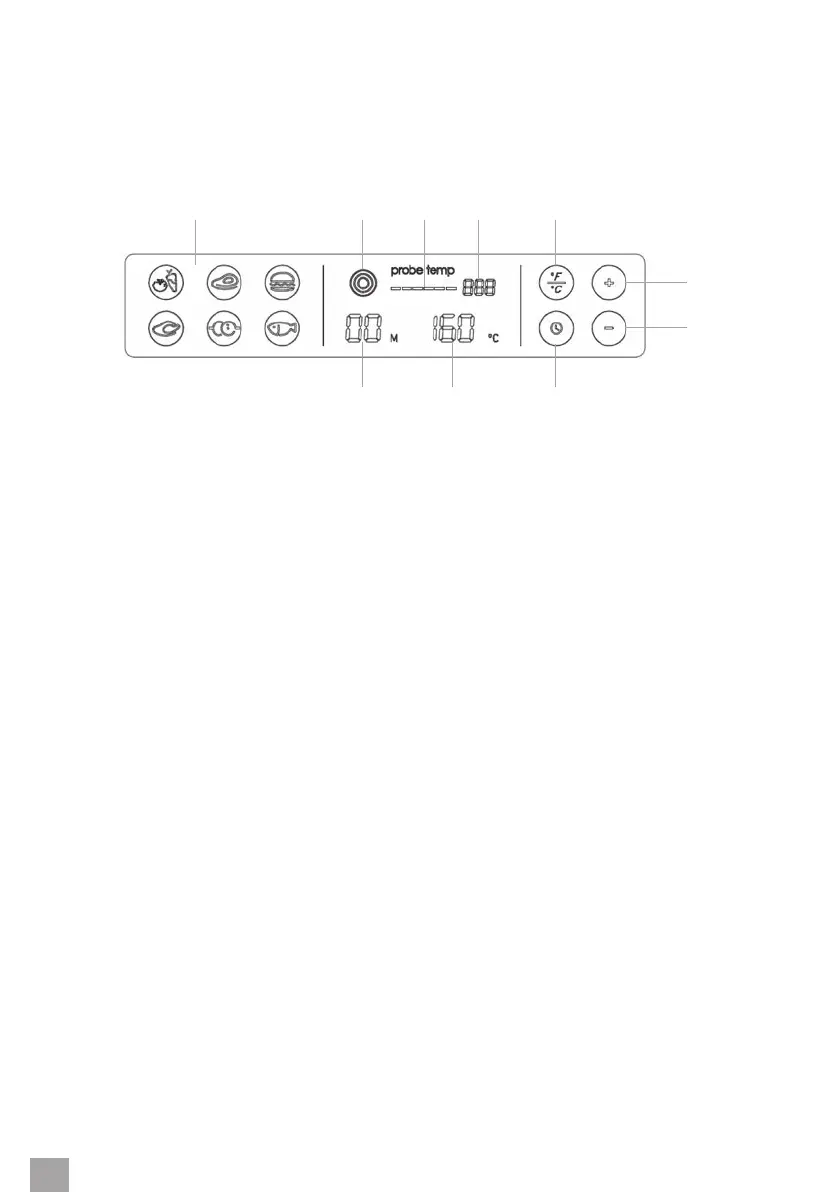
DESCRIPTION OF THE CONTROL PANEL
10 9 8
1 2 3 4 5
6
7
1. Food making preset program icons
2. Probe on / o button
3. Graphical visualization of the probe temperature
4. Probe temperature
5. Temperature unit switch button
6. The ”+” button is used to increase the temperature / prolong the cooking time
7. The ”-” button is used to decrease the temperature / shorten the cooking time
8. Timer button
9. Temperature display
10. Time display


 To Next Page