14
OPERATING YOUR CONTACT GRILL GR 7010
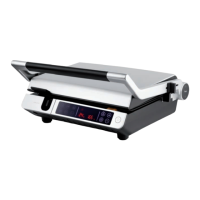
USING THE OPEN BBQ GRILLE
The grill is designed so that the top plate
can be tilted at completely to grill on both
plates simultaneously.
To open the grill, follow the steps below:
1. Check if the surface the grill is to be
put on is large enough to contain the
unfolded grill.
2. Put the grill on a at and rm surface
with easy reach of apower outlet. Make
sure that there is su cient space around
the grill to allow proper air circulation.
3. Make sure that the drip tray and the grill
plates are correctly inserted.
4. While the grill is closed (top plate is tilted
down), hold the handle with one hand
and with your other hand, press the grill
unfold button located in the arm joint.
Open the grill while holding the button
down until the handle touches the
surface.
5. Insert the power plug into amains socket
and OFF starts ashing on the display.
6. Operating an open BBQ grill is the same
as operating acontact grill described in
the instructions above.
7. Before lowering the top plate, make sure
that the grill has cooled down completely
and the grill plate is clean. Hold the
handle with one hand and lower the top
plate slowly.
USING THE TIMER
The timer facilitates the cooking. You can set
the grilling time for the food as well as the
time after which the food should be turned
over.
Press the button and “00” will start
ashing on the display. Press the + / - buttons
to set the time in the range from 1 to
60 minutes. After awhile, the value on the
display will stop ashing and countdown will
start.
Asound will be made as soon as the timer
reaches "00".
If you need to change the set time during the
countdown, press the button and use the
+ / - buttons to set anew value.
SWITCHING THE TEMPERATURE UNITS
To switch the temperature units, press the
button. °C is the factory default unit. If
you need to change to unit to °F, press the
button once. Press the button again to
switch back to °C.


 To Next Page