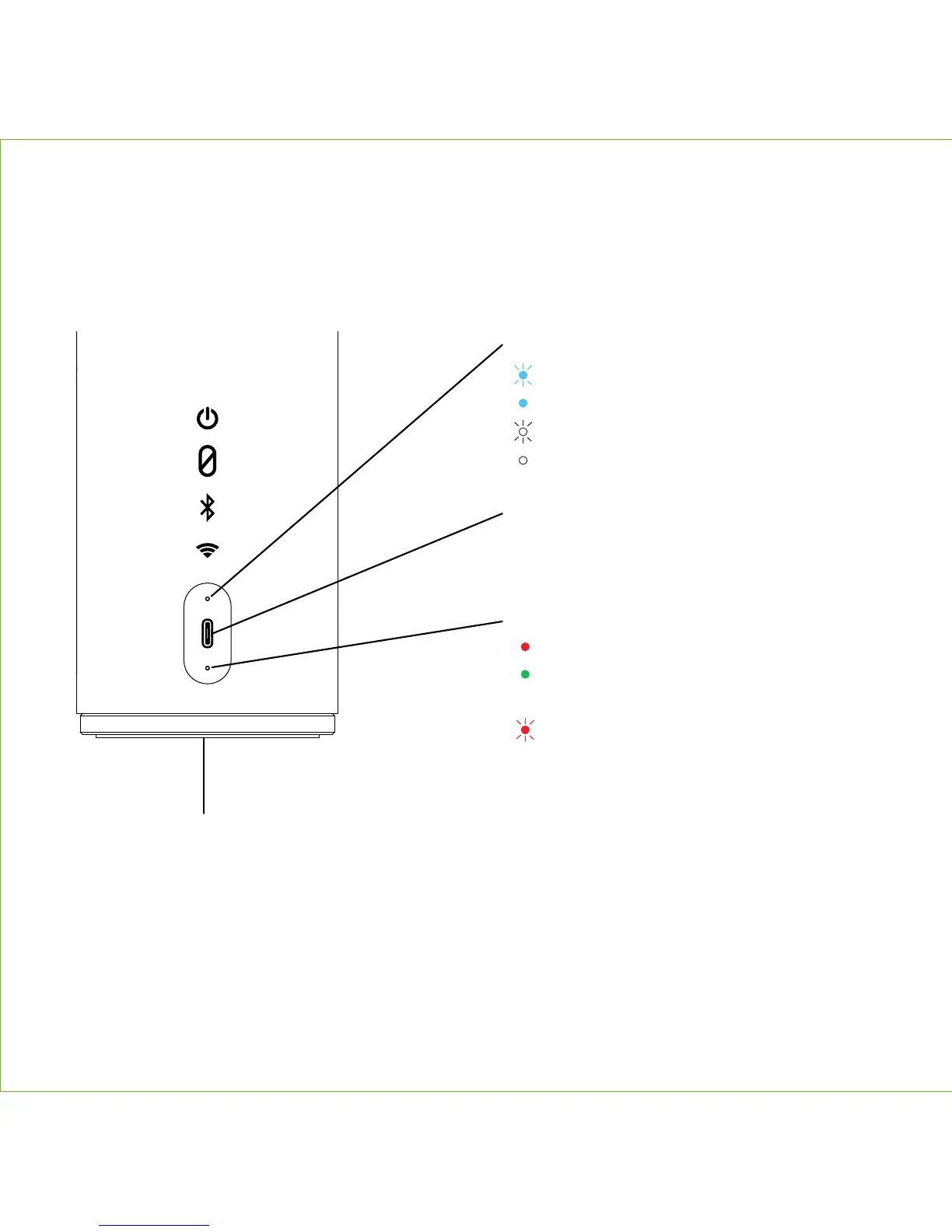
REAR INDICATORS & USB PORT
4
Charging Indicator
Solid red = charging
Solid green = charged
Battery Indicator
Flashing red = low battery
Bluetooth/Wi-Fi Indicator
Flashing blue = pairing
Solid blue = paired
Flashing white = Wi-Fi setup/No Connection
Solid white = Wi-Fi connected
USB-C Charging Port
• To power The Maverick and
charge for portable use
Hardware Reset
If unit is not responding, insert the end of a paper clip or similar into reset port on bottom
of unit.


 To Next Page