11
5. How to set up and connect
alarms using the GATEWAY HUB
and App:
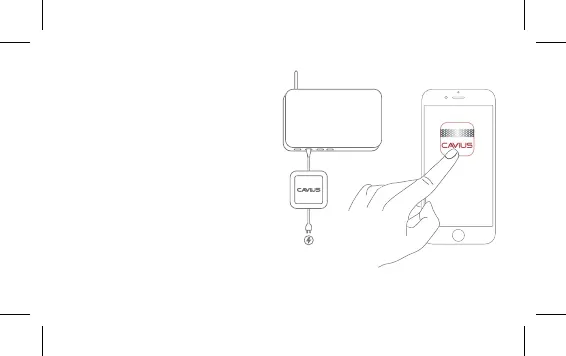
Ensure the CAVIUS GATEWAY HUB
is plugged into your router and the
wall socket.
Download the CAVIUS App from the
Apple App Store or Google Play.
Launch the app from your smart-
phoneortablet,andjustfollow
the instructions for setting up your
alarms.
GATEWAY HUB
ROUTER


 To Next Page