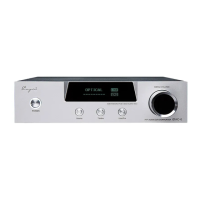
Volume Key “+” has multi-functions. It allows you to
volume up with short or long press. Under Settings Menu
you can modify the settings.
ボリュームキー“+”は多機能キーです。ボリュームアップ
は短くまたは長押しで行い、設定メニューでは設定の変
更が可能です。
2. Multi-Function Volume Key “-”
2. “-”
:マルチファンクションボリュームキー
Volume Key “-” has multi-functions. It allows you to
volume down with short or long press. Under Settings
Menu you can modify the settings.
ボリュームキー“-”は多機能キーです。ボリュームダウンは
短くまたは長押しで行い、設定メニューでは設定の変更
が可能です。
3. Mode Key
3.モードキー
Switch on or off the screen with short press. Enter into
Settings Menu with long press.
短く押してスクリーン
ON/OFF
の切替え、長押しで設定メニ
ューが表示されます。
4. 3.5mm Single-ended Headphone Out: Connected to
3.5 Single-ended Headphone.
4. 3.5mm
シングルエンド出力:
3.5mm
シングルエンドプラ
グを接続
5. 4.4mm Balanced Headphone Out: Connected to 4.4
Balanced Headphone.
6. 4.4mmバランス出力:4.4mmバランスプラグを接続
7. OLED Display:
7. OLED
ディスプレイ
Volume, Gain, Sampling Mode, Sampling Rate etc can be
displayed.
ボリューム、ゲイン、サンプリングモード、サンプリングレー
ト、等が表示されます。
System Settings:


 To Next Page