C.B.M. S.r.l. a socio unico - Medical Equipment –
Via Castello 10, 26038 Torre dé Picenardi (CR) - Italy
Rev. 06 – 18/02/2019 Manuale SST1700-2200 r06 CE-1282 EN page 5 of 34
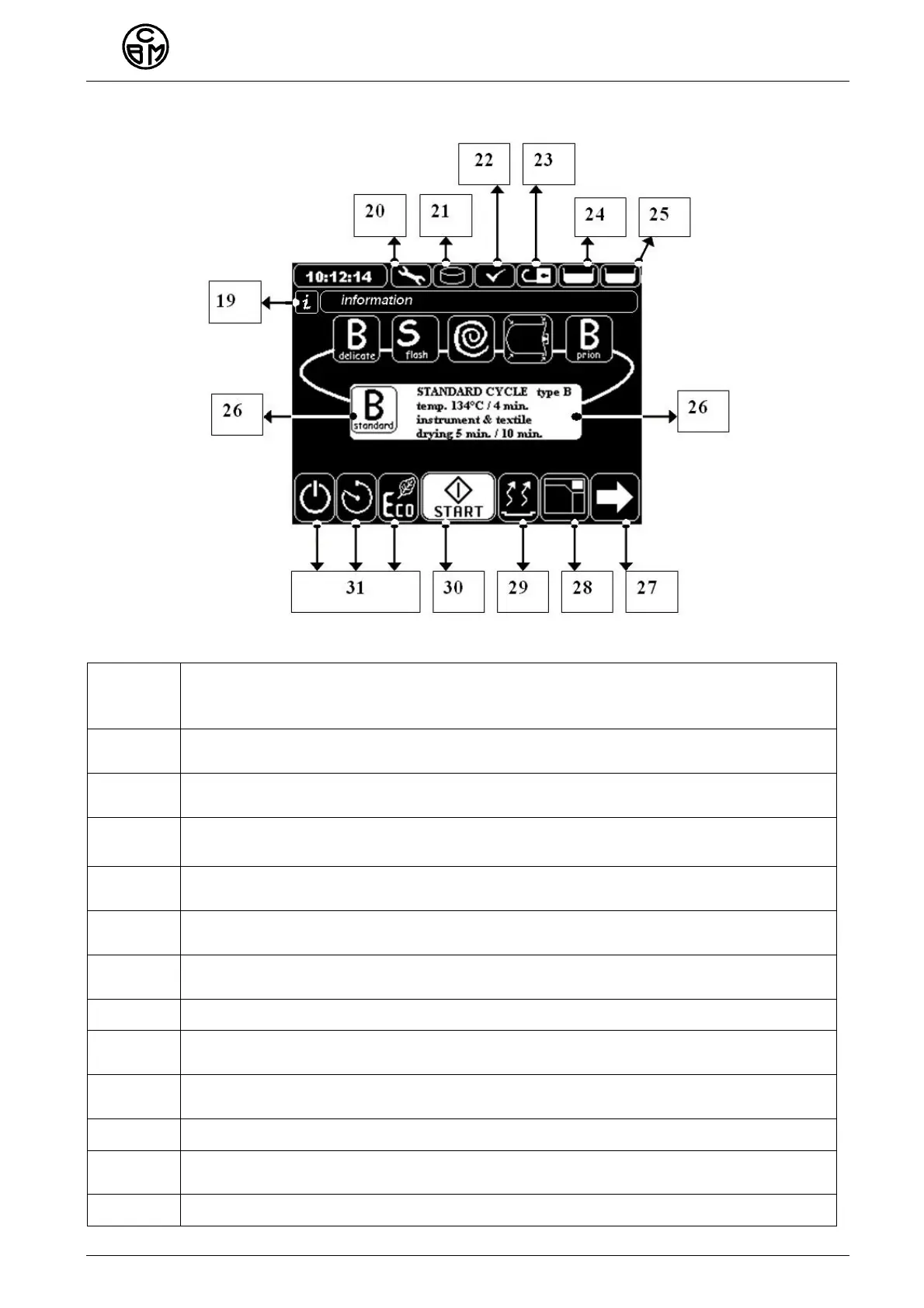
DISPLAY VIEW page 1 – TOUCH SCREEN
19
Information bar
it shows important information for the appliance operation, here the writing
“Cycle completed” appears
20
Maintenance icon, when blinking it shows that appliance needs
maintenance, see Maintenance Menu
21
USB Flash drive/ DISK icon, shows whether the USB flash drive is stuck into
the connector
22
Pre-heating shows when the appliance is pre-heating. The symbol shows
that the appliance is ready
23
Open/ closed padlock, door condition: it shows when the door is unlocked
and/or locked
24
Condition of the clean water tank: when the icon blinks the water loading
procedure shall be carried out
25
Condition of the waste water tank, when the icon blinks, the tank needs
emptying
26 Cycle icon, it shows the selected cycle
27
Arrow key to move in the menu: when pressed you get to the next and / or
previous page
28
Opening/ closing door key, the key changes according to the door
condition, locked or unlocked
29 Drying key: it select the required drying kind
30
Cycle start key – START, it locks completely the door and starts the selected
cycle
31 Stand by – delayed start – power saving keys



 To Next Page