31
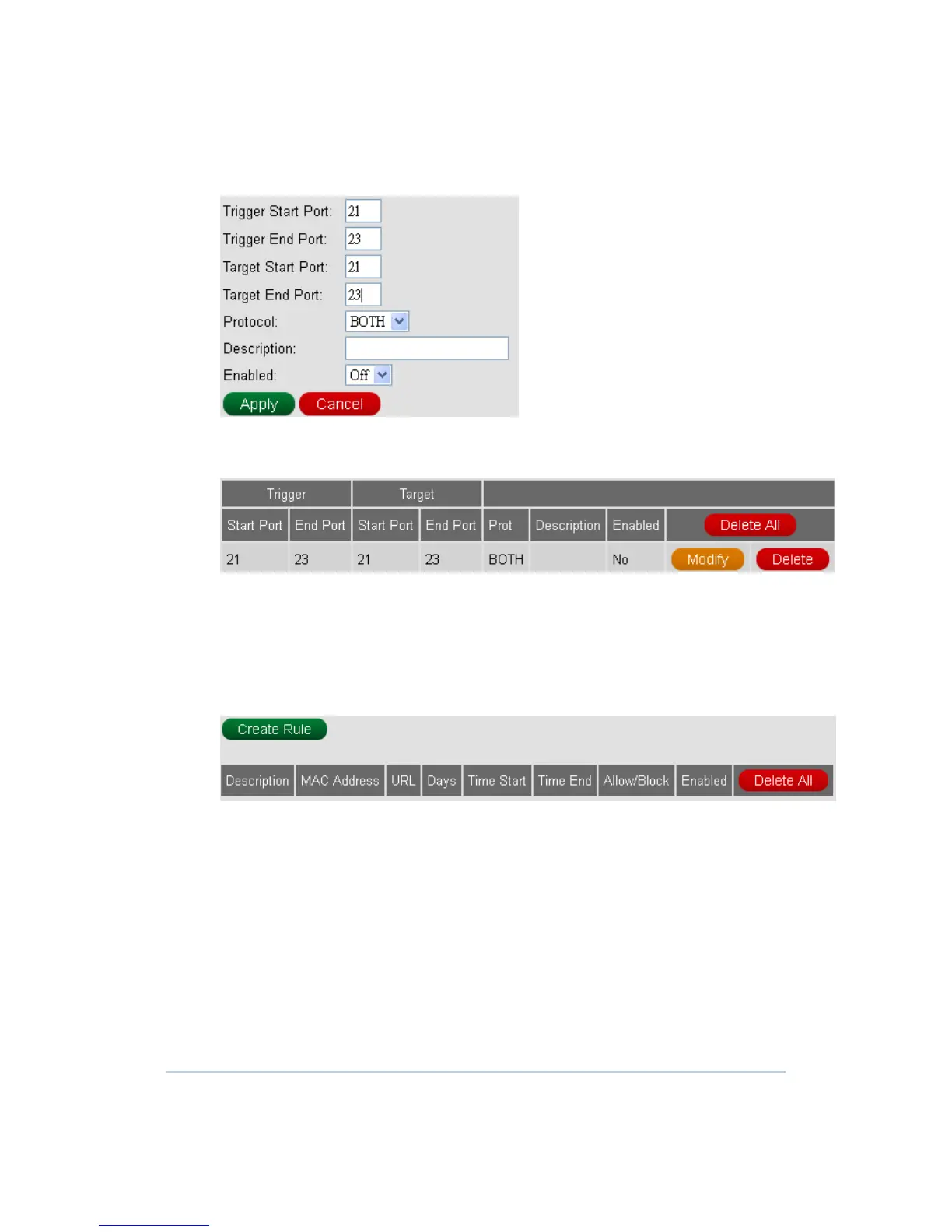
2. Fill in needed information and Apply.
3. One new Port Trigger is generated. And also, you can Modify or Delete the existed
Port Trigger.
URL Filtering
This page is used to configure filtering of outbound connections and display configured
filtering rule of firewall.
1. Press Create Rule button to add one filtering rule.


 To Next Page