PHENIX
Technical Manual
v2.0
CCEI
page 13
Installing your PHENIX with a CCEI LIMPIDO EZ chlorinator:
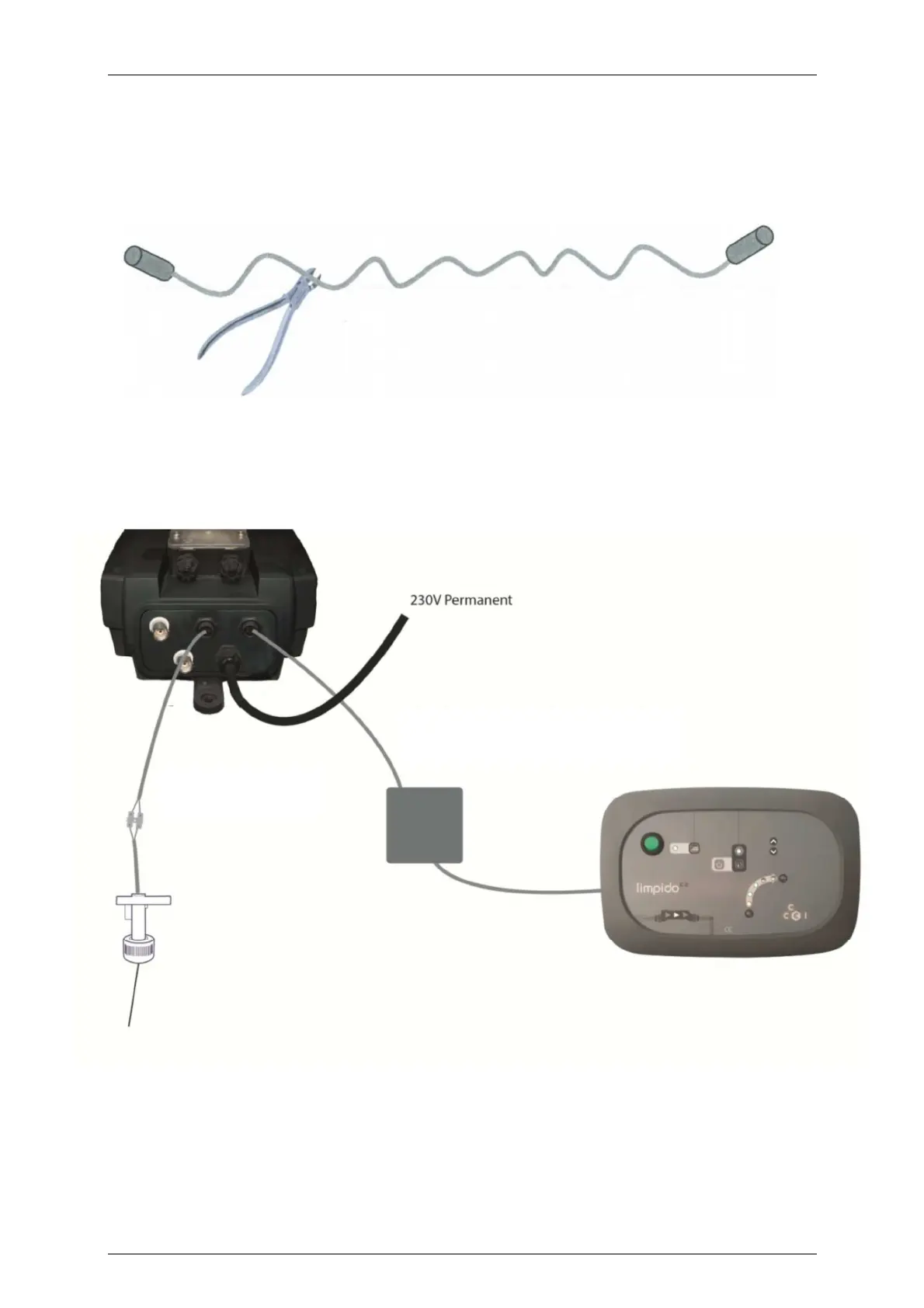
Cut the control cable supplied with the PHENIX so you have 2 cables with 1
connector on one side, 2 wires on the other;
Connect the LIMPIDO EZ flow detector to the PHENIX “Flow detector” input (under the
cabinet on the left) using one of the two cables obtained above,
Connect the control output of the PHENIX (under the cabinet on the right) to the
“Flow detector” input of the LIMPIDO EZ using the second cable;
The LIMPIDO EZ must be used in ‘Normal/Shock’ mode
(Thermoregulation indicator off) to function with the PHENIX.
Control cable supplied with the Phenix (cut
into 2 identical parts: one for the input and
the other for the output
Flow detector supplied
with the LIMPIDO EZ


 To Next Page