13
Default Configuration Parameters
14
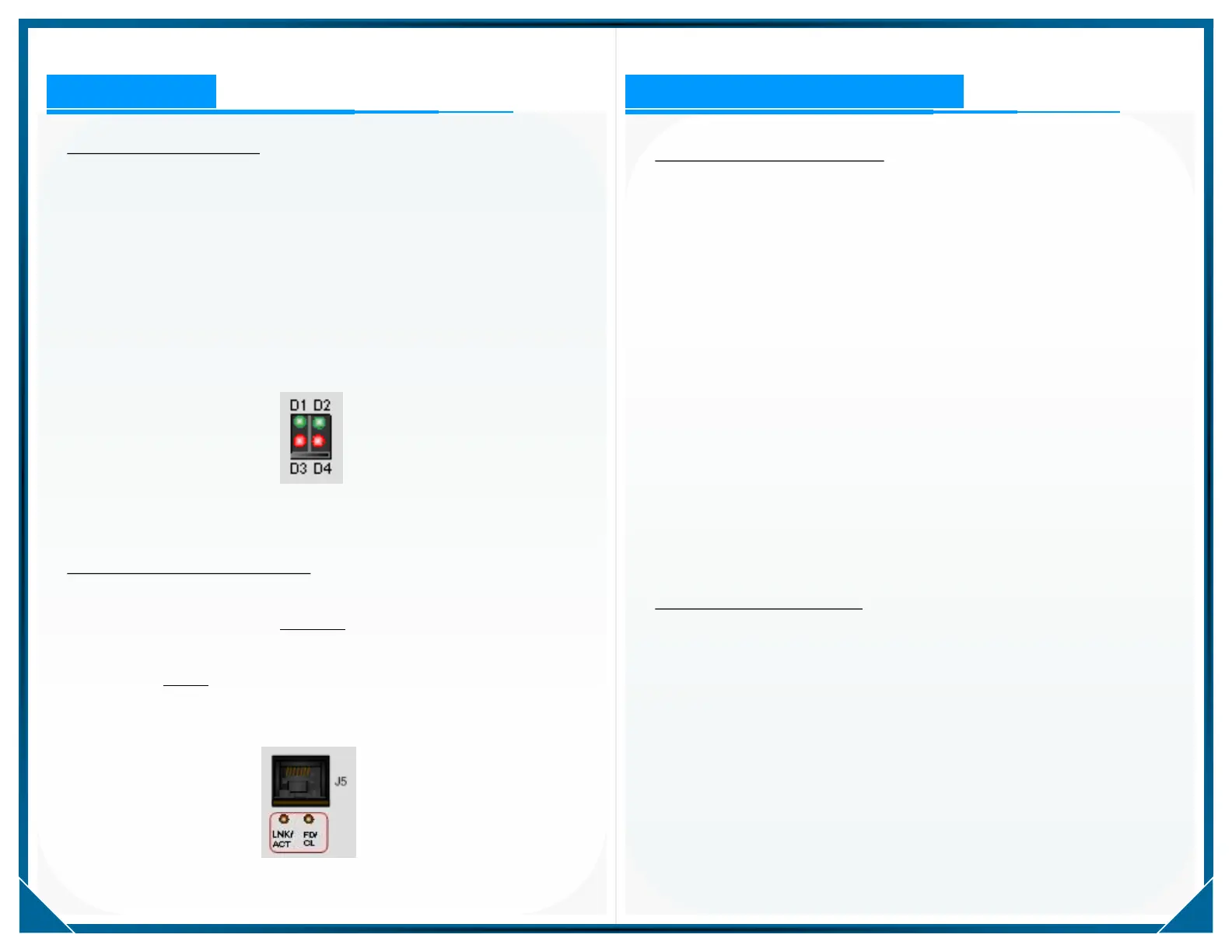
LED Indications
Figure-8: Front Panel LED Indicators
Figure-9: Rear Panel LAN LED Indicators
Front Panel LED Indications
Front panel LED indicators provide visual indications of activity during the
power up and DHCP processes. Under default conditions, during the boot
sequence, all front panel LED indicators are illuminated. When an IP
address is assigned through either the DHCP process, the application of
the default static IP address, or the internally programmed IP address,
then all front panel LEDs go out. Following the boot-up sequence and
assignment of the IP address, the individual LED assignments shall vary
depending upon the custom application assignments. Figure-8 provides
the labeling information for the front panel LED indicators.
Rear Panel LAN Activity Indications
Two LED indicators are provided on the rear panel to provide the user an
indication of LAN activity. The LNK/ACT LED indicator is illuminated
when a physical Ethernet LAN network connection has been established
and provides a visual indication of Ethernet LAN TX & RX activity when
blinking. The FD/CL LED lights when the Ethernet connection is
100MB, is off when the Ethernet connection is 10MB, and blinks when
collisions occur.
Default Communications Settings
The CNA1000 is designed to support custom protocol conversion across
the provided communications network interfaces. The individual serial
communications ports may be configured to support legacy applications,
but some of the operating parameters are common to all applications on
the hardware platform.
Following is a list of common default features and setting for the
CNA1000 assembly.
J2-A has been assigned as a local serial diagnostics port with default
settings of 57.6kbps, 8, N, 1
Default ENET LAN settings support remote configuration and
diagnostics on UDP port 20367
Default ENET LAN settings support remote code download
(software updates) on UDP port 2000
IP address is configurable, but by default, three DHCP attempts are
made; if no response to the DHCP process, the unit then reverts to a
static, default IP address
Default Static IP Configuration
IP: 192.168.7.101
Subnet Mask: 255.255.255.0
Gateway: 192.168.7.1
DNS: 0.0.0.0
To activate a change of IP address on the device, or if you wish to have
the unit receive a new IP address via the DHCP process, you must
reboot the assembly. The unit may be rebooted by cycling the DC
power, or by issuing a Reboot command either locally or remotely
through the provided CNACONFIG utility.


 To Next Page
 Loading...