22
6. Press [ ALERT ] key to shift to next alert reading.
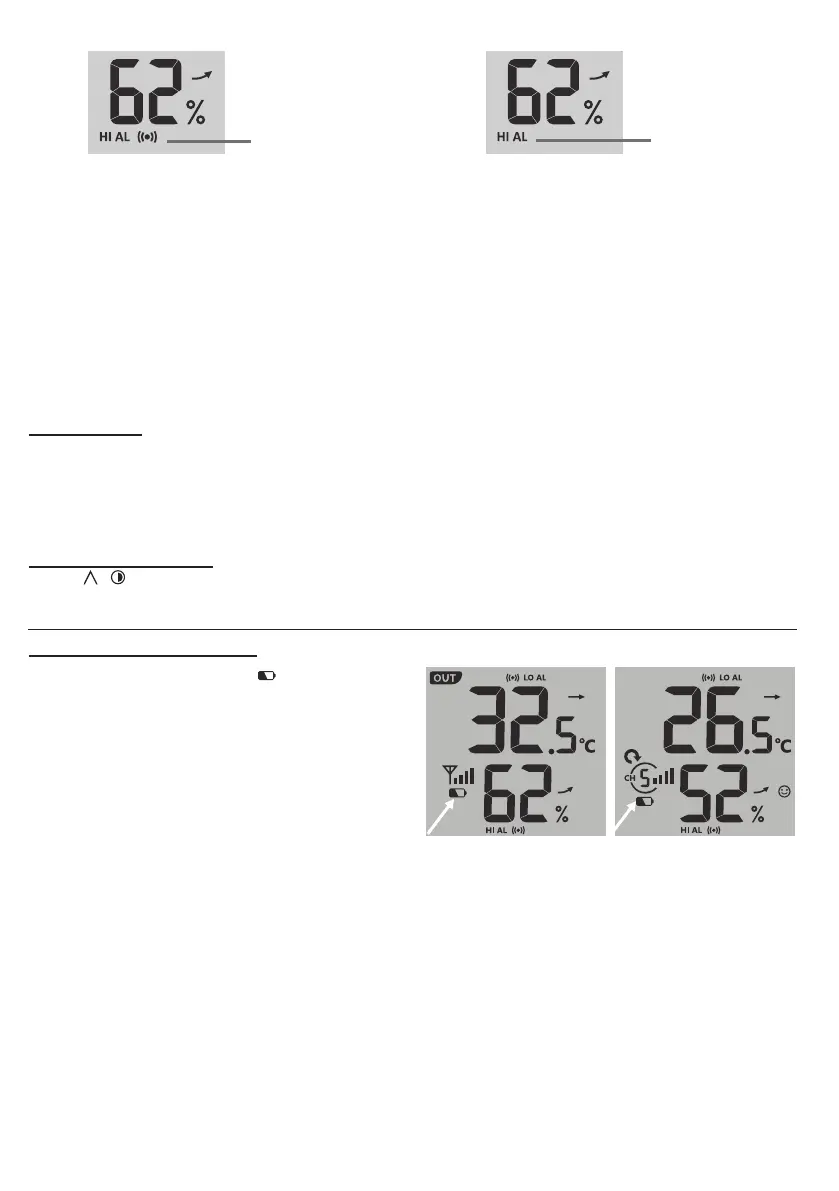
High / Low
Alert on
Alert o
Alert on Alert o
7. Press any key on the front side to save alert on /o status and back to normal mode, or it will
automatically back to normal mode after 30 seconds without pressing any key.
TO SILENCE THE ALERT ALARM
Press [ SNOOZE ] key to silence the alert alarm or let the alarm automatically turn o after 2 minutes.
NOTE:
- Once the alert is triggered, the alarm will sound for 2 minutes and the related alert icon and readings will
ash.
- If the alert alarm is automatically o after 2 minutes, the alert icon and readings will still keep ash until the
weather reading is out of the alert range.
- The weather alert will sound again when the weather readings falls into the alert range again.
BACK LIGHT
The main unit back light can be adjust, using the [ OFF / LO / HI ] sliding switch to select the appropriate
brightness:
- Slide to the [ HI ] position for the brighter back light.
- Slide to the [ LO ] position for the dimmer back light.
- Slide to the [ OFF ] position to turn o the back light.
DISPLAY CONTRAST
Press [ / ] key in normal mode to adjust LCD contrast in order to t table stand or wall mount angle.
MAINTENANCE
BATTERY REPLACEMENT
When low battery indicator “ ” is displayed
in OUT or CH section, it indicates that the
wireless 7-IN-1 sensor and/or current channel
sensor battery power is low respectively.
Please replace with new batteries.


 To Next Page