EasyManua.ls Logo

CCV Pad - Key Operational Softkeys

CCV Pad
Print Icon
To Next Page IconTo Next Page
To Previous Page IconTo Previous Page
Loading...
42 CCV Pad - First steps
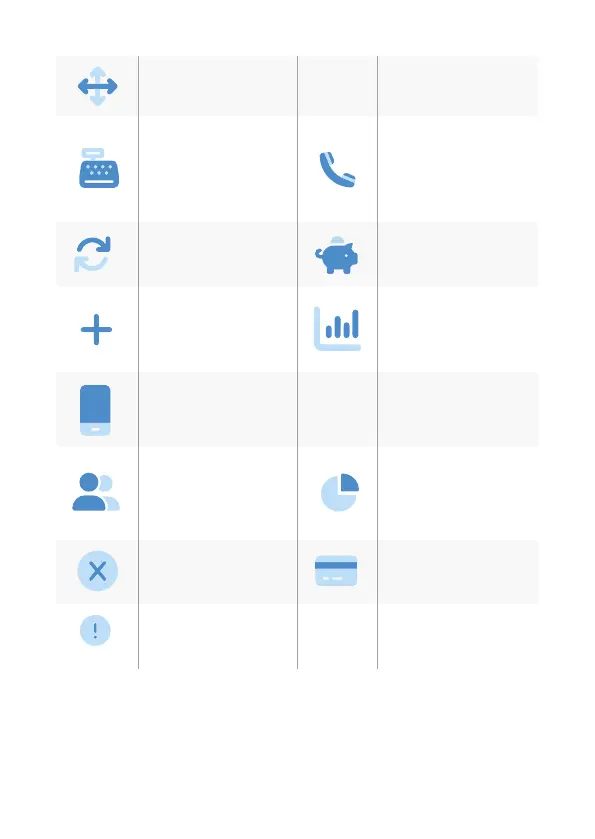
Sokey order (change
your sokeys)
Tax Free (start a tax
free transaction)
Reconsiliation with
closure (start of
booking all open
transactions end of
the day)
Authorisation by voice
(authorize a declined
payment by phone)
Cong diagnosis (sync
host commands)
TIP (start a separate
TIP transaction)
Additional payment
(increase the original
payment amount)
Transaction list (over-
view of all transactions
with opportunity for a
reprint)
Prepaid (add money to
your mobilephone
prepaid account)
Servicecall (TKS/TMS)
(starts a connection to
the service server)
Reservation (reservati-
on about the choosen
amount)
Intermediate revenue
(revenue information
since the last Rec. w.
closure)
Reversal (cancel a
payment)
Manual card data
(input your card data)
System information
(shows important
system information)
K
TAX
FREE
TKS
SYS

Related product manuals