EasyManua.ls Logo

CCV Pad - Softkeys

CCV Pad
Print Icon
To Next Page IconTo Next Page
To Previous Page IconTo Previous Page
Loading...
CCV Pad - First steps 41
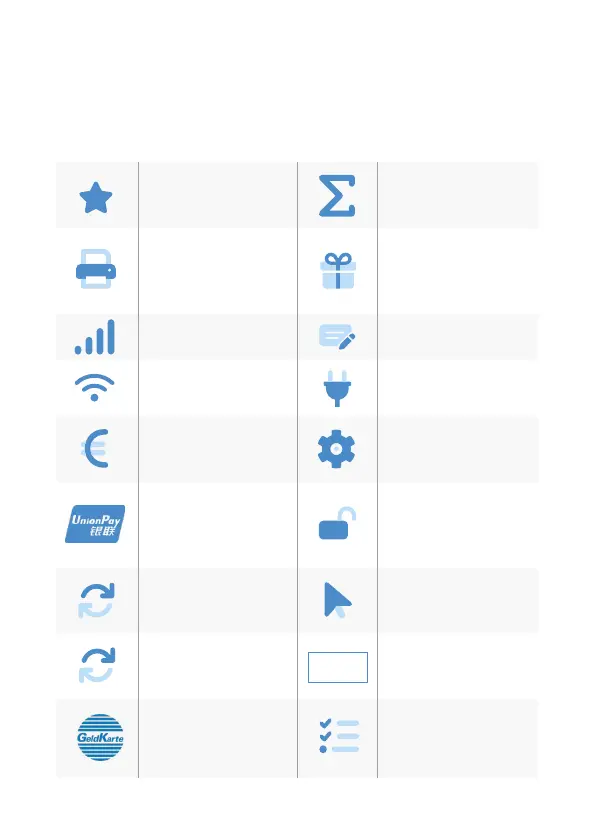
5. Sokeys
Favourites (show all
possible sokeys)
Total revenue(informa-
tion of all transactions
- without booking)
Receipt Copy (reprints
merchant and
customer receipt)
Gicard (payment with
gicard)
Network-switch
(WIFI/GPRS/3G)
Credit (start credit
transaction)
Network-switch
(WIFI/GPRS/3G)
Startup (startup with
input of TID and PU)
Cashback (payment
with a higher amount
for customers cash)
Initialisation
(Host registration +
automatic diagnosis)
CUP (payment with
China Union Pay Card)
Unlock (starts the
neccessary unlock
action as diagnosis or
initialisation)
Diagnosis (activate all
allowed cards, limits,
receipt header…)
Choose account
(choose your payment
account)
EMV diagnosis
(activate EMV
conguration)
Menu (password level
merchant, manager or
technician)
GeldKarte (starting
a transaction with
GeldKarte)
Select payment appli-
cation (select your
payment application)
E
Menü

Related product manuals