5
MEDIA PLAYER CONNECTIONS
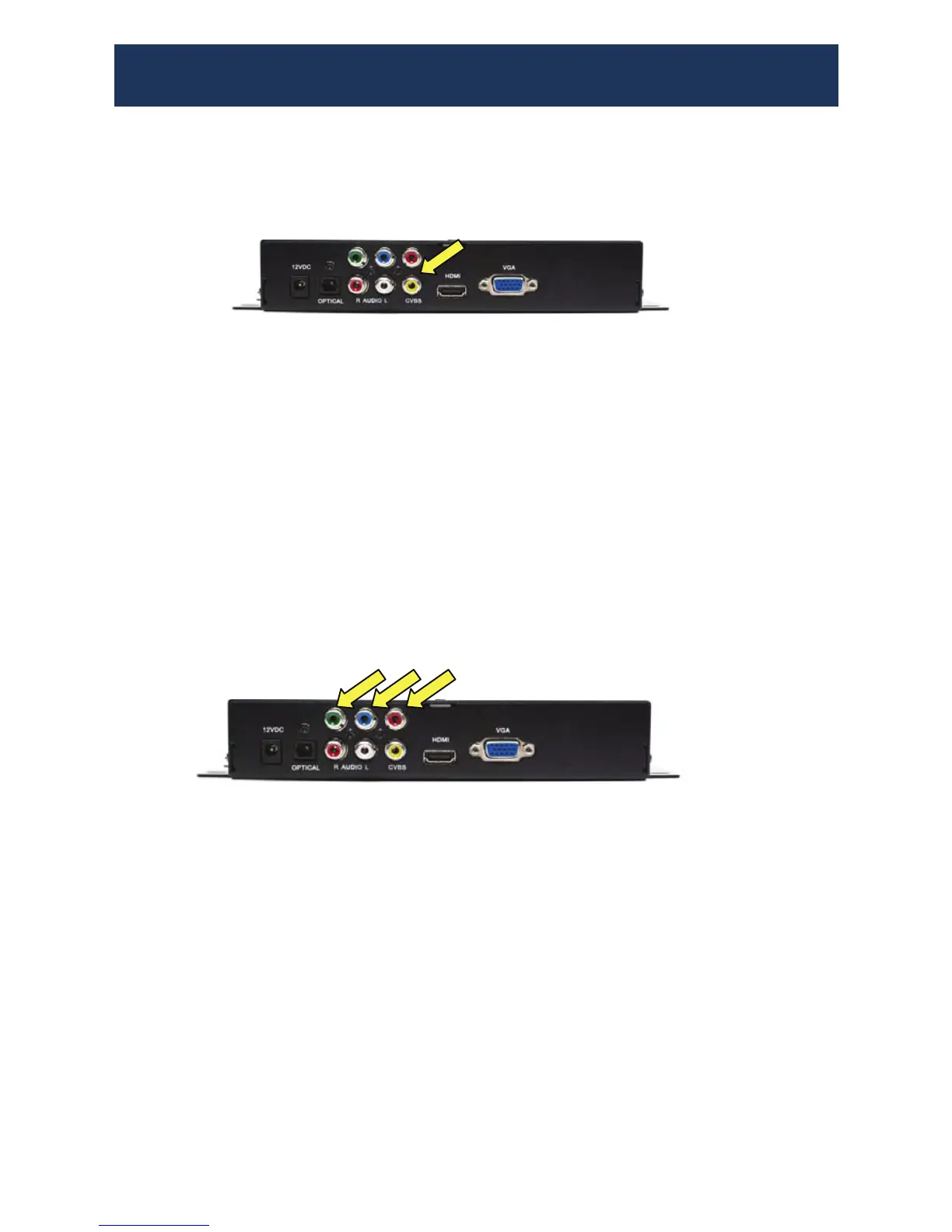
(1) Video connection: Video (Yellow) RCA Jack
Audio connection: Stereo AUDIO-L(white) / AUDIO-R(Red)
(2) Plug in the Power Adapter
(3) Turn on the TV and set the TV to AV input
(4) Set the MP75 to NTSC (A/V) output
(5) Insert the media card.
Note: Please connect only one video output cable at a time.
Note: Please connect only one video output cable at a time.
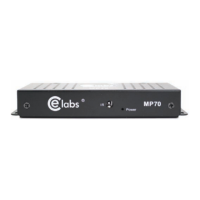
Mode 2 Component Video Connection
Mode 1 Composite Connection
(1) YUV connection: Video (Green, Blue, Red) RCA Jacks
Audio connection: Stereo AUDIO-L(white) / AUDIO-R(Red)
(2) Plug in the Power Adapter
(3) Turn on the TV and set the TV to Component Video input
(4) Set the MP75 to YUV output
(5) Insert the media card.


 To Next Page