BAKE&FRY 2500 TOUCH/WHITE
40
ENGLISH
Features
1. Door sensor: When the door is opened, the cooking process is paused, and the light
the cooking process will be resumed. Make sure to keep the device door closed during
cooking.
2. Cord storage: The built-in cord storage design, located in the back of the unit, takes up
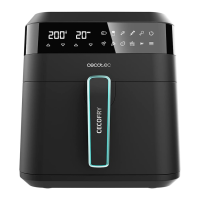
LED control panel
(1) Functions
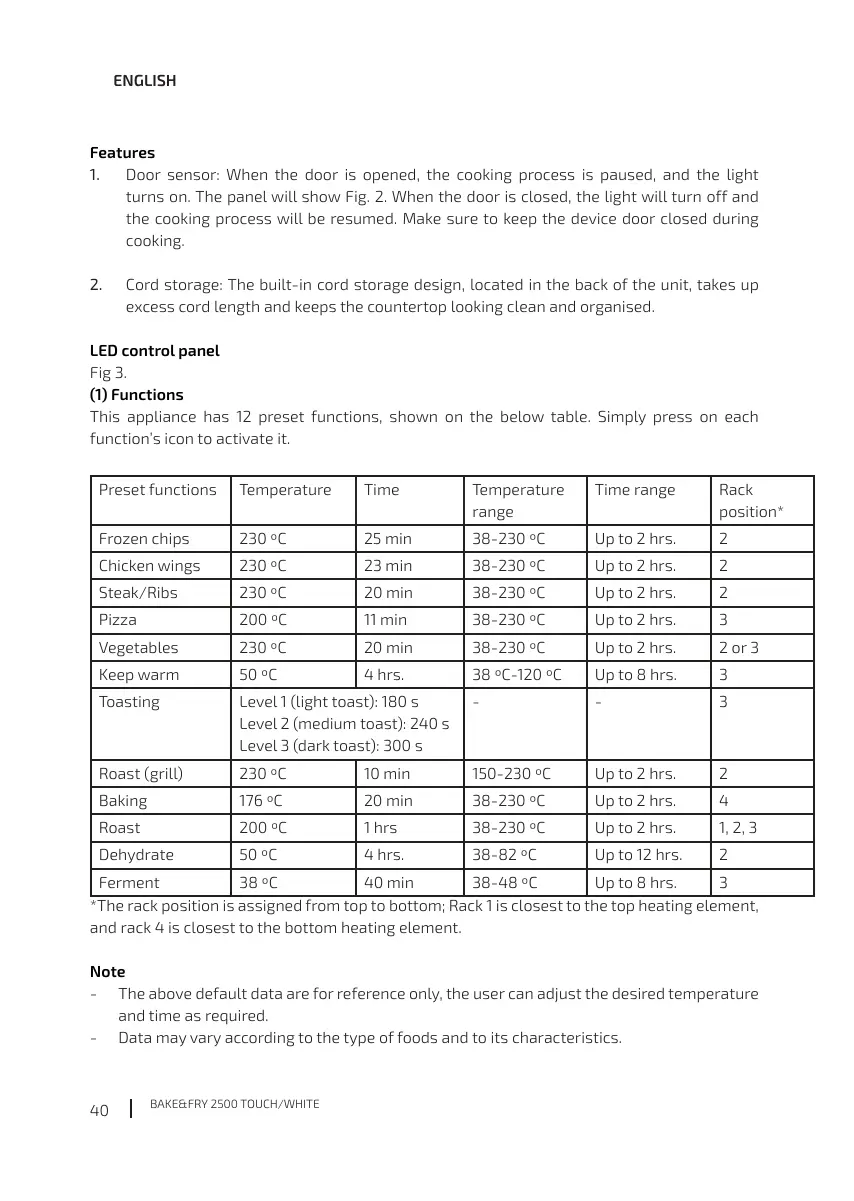
This appliance has 12 preset functions, shown on the below table. Simply press on each
function’s icon to activate it.
Preset functions Temperature Time Temperature
range
Time range Rack
position*
25 min Up to 2 hrs. 2
Chicken wings Up to 2 hrs. 2
Steak/Ribs 20 min Up to 2 hrs. 2
Pizza 11 min Up to 2 hrs.
Vegetables 20 min Up to 2 hrs.
Keep warm 4 hrs. Up to 8 hrs.
Toasting Level 1 (light toast): 180 s
Level 2 (medium toast): 240 s
- -
Roast (grill) 10 min Up to 2 hrs. 2
Baking 20 min Up to 2 hrs. 4
Roast 1 hrs Up to 2 hrs.
Dehydrate 4 hrs. Up to 12 hrs. 2
40 min Up to 8 hrs.
*The rack position is assigned from top to bottom; Rack 1 is closest to the top heating element,
and rack 4 is closest to the bottom heating element.
Note
- The above default data are for reference only, the user can adjust the desired temperature
- Data may vary according to the type of foods and to its characteristics.




 To Next Page