EasyManua.ls Logo

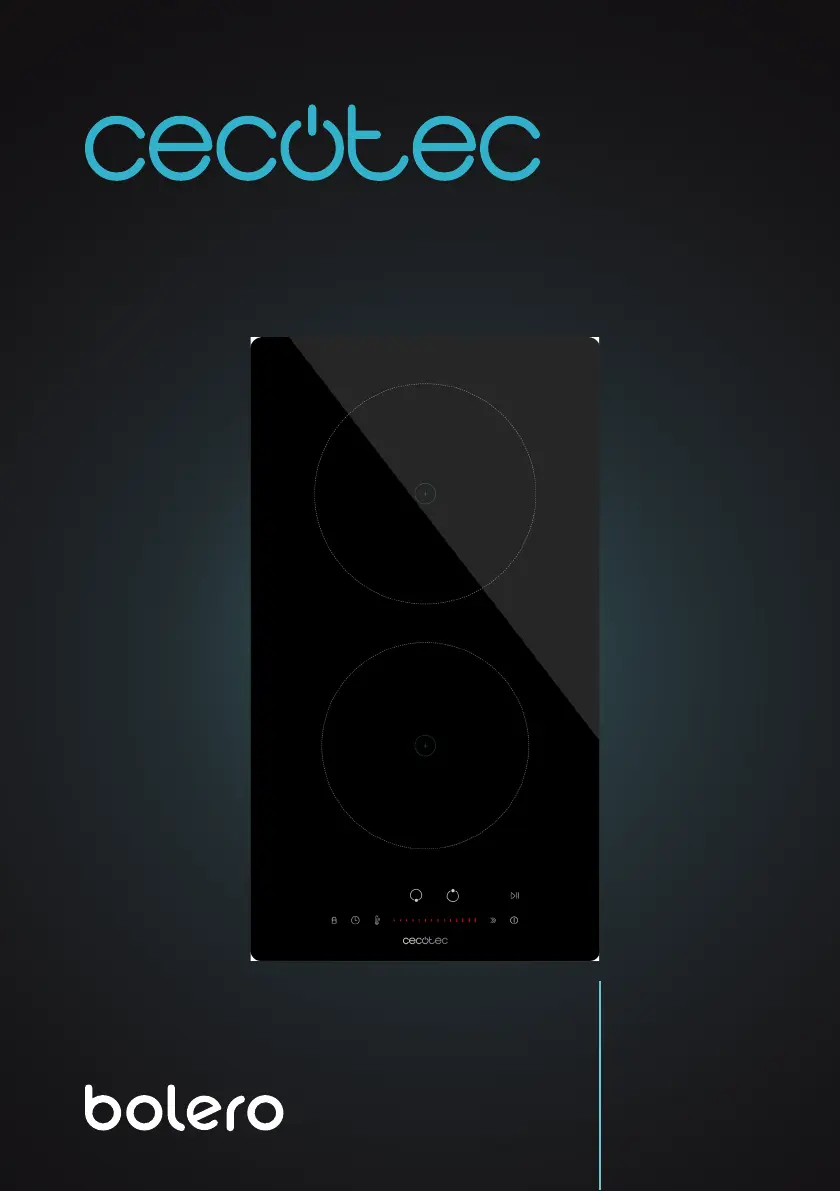
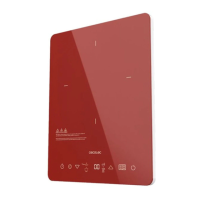
cecotec BOLERO SQUAD I 2100 - User Manual

cecotec BOLERO SQUAD I 2100
240 pages
Go to English
Print Icon
To Next Page IconTo Next Page
Loading...
Manual de instrucciones
Instruction manual
Manuel d’instructions
Bedienungsanleitung
Manuale di istruzioni
Manual de instruções
Handleiding
Instrukcja obsługi
Návod k použití
BOLERO SQUAD I 2100
Placa de inducción/Induction hob
02853_Placa de inducción Bolero Squad I 2100_RP_01230816.indd 102853_Placa de inducción Bolero Squad I 2100_RP_01230816.indd 1 17/8/23 12:1417/8/23 12:14

Table of Contents

Questions and Answers

  • F
    fbeckAug 14, 2025
    Why is my Cecotec Hob making fan noise?
    • P
      petersheatherAug 14, 2025
      This is normal. A cooling fan is integrated into your induction hob to prevent the electronic components from overheating. The fan may continue to operate even after the hob is turned off. Do not unplug the hob while the fan is running; this is not a cause for concern.
  • J
    John ClineAug 17, 2025
    Why does my cecotec BOLERO SQUAD I 2100 Hob buzz at high power?
    • J
      Joshua MurphyAug 17, 2025
      This buzzing sound is due to the induction cooking technology. Lowering the power setting should decrease or eliminate the noise.
  • S
    Scott LeeAug 20, 2025
    Why do my pans crackle on my cecotec BOLERO SQUAD I 2100?
    • T
      tgreenAug 21, 2025
      This may be due to layers of different metals in your cookware vibrating differently. This is normal and does not indicate a fault.
  • R
    ramireznatashaAug 25, 2025
    How to fix a cecotec BOLERO SQUAD I 2100 that won't turn on?
    • J
      jeffrey66Aug 25, 2025
      Ensure the hob is connected to the mains and switched on. Check for any power failures. If the issue continues, contact Cecotec Technical Support.
  • M
    Michael BrooksAug 27, 2025
    What to do if cookware doesn't heat on my Cecotec Hob?
    • M
      Melissa GutierrezAug 27, 2025
      Use only cookware that is compatible with induction hobs. Make sure the base of the cookware matches the size of the cooking zone and is centered on it. Refer to the section on “Choosing the right cookware”.
  • L
    Lee DavisAug 30, 2025
    Why are the touch icons on my cecotec BOLERO SQUAD I 2100 difficult to use?
    • O
      ofoxAug 30, 2025
      Ensure the touch icons are dry and press them with the base of your finger.
  • T
    timothy70Sep 3, 2025
    What to do if my cecotec BOLERO SQUAD I 2100 shows E6/E9 error?
    • A
      Alyssa ForbesSep 3, 2025
      Let the hob cool down and restart it. If the fault persists, please contact the official Cecotec Technical Support Service for technical assistance.
  • R
    Randy GraySep 6, 2025
    What to do if Cecotec Hob turns off and shows error code?
    • S
      smithphillipSep 6, 2025
      Note down the error codes, disconnect the induction hob from the power supply and contact a qualified technician.
  • B
    brookskristinaSep 10, 2025
    How to prevent glass damage on cecotec BOLERO SQUAD I 2100?
    • V
      Victor MitchellSep 10, 2025
      Use cookware with flat and smooth bases. Refer to the section on “Choosing the right cookware”. See section on “Cleaning and maintenance.”

Summary

Product Overview and Initial Setup

Parts and Components Identification

Identifies the main parts and components of the induction hob.

Before First Use Procedures

Instructions and checks before operating the induction hob for the first time.

Induction Cooking Technology Basics

Explains the basic principles of induction cooking technology.

Operating the Induction Hob

Using Touch Icons

Explains how to use the touch icons and their functionality.

Selecting Appropriate Cookware

Guide to selecting suitable cookware for induction hobs.

Hob Status Indicators

How the hob indicates it's on and in standby mode.

Cookware Size and Placement

Information about cookware size and placement on cooking zones.

Completing Cooking Operations

Steps to switch off cooking zones and the hob.

Boost Function Operation

Explanation and activation of the Boost function.

Child Lock Functionality

How to activate and deactivate the child lock.

Using the Timer Feature

Guide on how to use the timer feature for cooking.

Timer for Multiple Cooking Zones

How to set the timer for multiple cooking zones.

Canceling Timer Settings

Steps to cancel an active timer setting.

Keep Warm Function Usage

How to use the Keep Warm function for food.

Start and Pause Cooking

How to pause and resume cooking.

Automatic Protection Shutdown

Explanation of the auto shut-off feature.

Residual Heat Indicator

Information about the residual heat indicator.

Installation

Installation Tools and Preparation

Tools and preparation needed for installing the induction hob.

Attaching Fixing Brackets

Instructions for attaching the fixing brackets to the hob.

Connecting to Power Supply

Steps for safely connecting the induction hob to the power supply.

Temperature Setting Guide

Cleaning and Maintenance

Cleaning Normal Surface Dirt

How to clean usual dirt like fingerprints and food stains.

Cleaning Hot Sugar Spills

Specific instructions for cleaning hot sugar spills.

Cleaning Touch Icon Spills

How to clean spills on the touch control area.

Troubleshooting Common Issues

Hob Not Turning On

Troubleshooting steps for a hob that won't power on.

Unresponsive Touch Icons

Solutions for unresponsive touch icons.

Difficulty Using Touch Controls

Tips for proper use of touch icons.

Damaged Glass Surface

What to do if the glass surface is damaged.

Pan Noise Issues

Explanation for normal operational noises from pans.

Buzzing Sound at High Power

Explanation for buzzing sound at high power.

Fan Noise Operation

Explanation for fan noise.

Cookware Not Detected or Heating

Troubleshooting for cookware not detected or heating.

Error Code Displays

What to do when an error code is displayed.

Specific Error Code Solutions

Specific error codes and their solutions.

Technical Specifications

Appliance Disposal Guidelines

Technical Support and Warranty

Copyright Information

cecotec BOLERO SQUAD I 2100 Specifications

General IconGeneral
ModelBOLERO SQUAD I 2100
TypeInduction Hob
Number of Cooking Zones1
Power2100W
Control TypeTouch Control
Dimensions31 x 39 x 6, 5 cm
TimerYes
Safety LockYes
Voltage220-240V
Frequency50/60Hz
Safety FeaturesChild Lock

Related product manuals