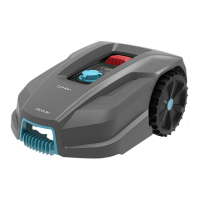
CONGA GRASSHOPPER 300
123
ENGLISH
Changing the mower’s operating time per day
- The default daily operating time is 3 hours, but you can change it (the minimum time is 1
hour, and the maximum is 24 hours).
- To do this, hold down the button for 3 seconds. For example, if you want the operating
time to be 06 hours, press the or buttons to select the number (06) and, when
ashes, press to conrm the setting. will appear on the display. The
mower will run for 6 hours a day from the start time you have set. You will hear a beep
when it starts up. Fig. 13
Changing the days of operation per week
- By default, the mower will operate 5 days a week. You can change this setting to 3, 5 or 7
days. For example, imagine you want to select 3 days per week.
- The number “05” will ash. Press the or button to select the desired number (03)
and then press to conrm the setting. The following will appear on the display:
3 = Monday, Wednesday and Friday.
5 = Monday, Tuesday, Wednesday, Thursday, and Friday.
7 = Monday, Tuesday, Wednesday, Thursday, Friday, Saturday, and Sunday.
- By default, the mower will cut the edges skirting the boundary wire on Tuesdays and
Fridays. Remember that if you have the mower congured with 3 cutting days, Tuesday will
not perform edge cutting because it has not programmed that day in its operating range.
Rain sensor conguration
- The mower has a built-in rain detection sensor. When this function is activated, it will stop
operation by default and return to its charging station until it stops raining and a preset
stipulated time has elapsed.
- To access this menu and activate/deactivate this function, press, and hold the button
for 3 seconds. will appear on the display. Press to access the settings and
select the option ON or OFF on the display by pressing and , and then press to
conrm your selection.
Zone conguration
- The mower has built-in intelligent navigation technology that enables it to start the cutting
task from a dierent point than the charging station. This function is highly recommended
to obtain a better result in the total coverage of the cutting area.
- This option is by default on but can be changed by pressing the button for 3 seconds
and then pressing or to switch from the menu to the ZONE menu, and then
press to enter to select ON or OFF depending on whether you want to keep the function
on or o. To conrm the selection, press .
- The mower shall start from the second starting point after completing the total discharge
of the battery.


 To Next Page