
 Need help?
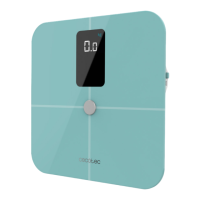
Do you have a question about the cecotec SURFACE PRECISION 10400 Smart Healthy Vision Blue and is the answer not in the manual?
Instructions for installing the Surface Precision App on your smartphone or tablet.
Guide on device placement, Bluetooth pairing, and user data registration.
Instructions for weighing a baby with an adult on the scale.
Steps to take if the scale fails to power on.
Troubleshooting steps for pairing the scale via Bluetooth.
Tips for ensuring accurate weight measurements and calibration.
 General
| Model | SURFACE PRECISION 10400 Smart Healthy Vision Blue |
|---|---|
| Color | Blue |
| Weight Capacity | 180 kg |
| Connectivity | Bluetooth |
| App Compatibility | Yes |
| Body Composition Analysis | Yes |
| Body Fat Analysis | Yes |
| Body Water Percentage | Yes |
| Muscle Mass Analysis | Yes |
| Bone Mass Analysis | Yes |
| Body Mass Index (BMI) Measurement | Yes |
| Metabolic Age | Yes |
| Visceral Fat Analysis | Yes |
| User Memory | Yes |
| Measurement Units | kg, lb, st |
| Display Type | Digital |


 To Next Page