EasyManua.ls Logo

cecotec SURFACE PRECISION SMART HEALTHY PRO - User Manual

cecotec SURFACE PRECISION SMART HEALTHY PRO
80 pages
Go to English
Print Icon
To Next Page IconTo Next Page
Loading...
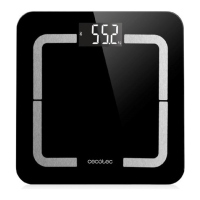
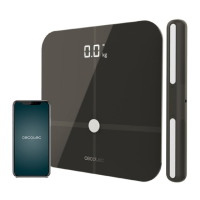
SURFACE PRECISION SMART HEALTHY PRO BEIGE / DARK GREY
Báscula de baño / Bathroom scale
Manual de instrucciones
Instruction manual
Manuel d’instructions
Bedienungsanleitung
Manuale di istruzioni
Manual de instruções
Instrukcja obsługi
Návod k použití
04264_04265_Surface Precision 10600 Smart Healthy Pro Grey_Black_Manual_YV_01200401.indd 104264_04265_Surface Precision 10600 Smart Healthy Pro Grey_Black_Manual_YV_01200401.indd 1 2/4/20 10:362/4/20 10:36

Table of Contents

Questions and Answers

  • M
    Michelle GarrisonAug 6, 2025
    Why is my cecotec SURFACE PRECISION SMART HEALTHY PRO Scales Bluetooth failed to connect?
    • S
      Shane BrooksAug 6, 2025
      To resolve Bluetooth connection issues with your Cecotec Scales, verify that your phone's Bluetooth, GPS, and location services are enabled (especially for Android). Ensure a stable network connection. Step on the scale to power it on; a 'Connected' message should appear. If 'Disconnected' is displayed in the app, locate the scale ID via 'Account,' 'Device,' and '+.' Confirm your smartphone is running iOS 8.0 or later, or Android 6.0 or higher. Reinstall the app, accept all permissions, and log in again to ensure proper authorization.
  • C
    Carrie JohnsonAug 13, 2025
    What to do if the cecotec SURFACE PRECISION SMART HEALTHY PRO Scales App shows incorrect fat-muscle ratio?
    • J
      jimmyjonesAug 14, 2025
      If your Cecotec Scales app displays an incorrect fat-muscle ratio, it might be due to inaccurate personal information. Ensure you have entered the correct gender, height, age, and other relevant details in the app's settings.
  • W
    Wendy WilliamsAug 21, 2025
    What to do if the Cecotec Scales App shows no body fat data after weighing?
    • M
      Monica GrahamAug 21, 2025
      If the Cecotec Scales app doesn't show body fat data after weighing, it might be because Bluetooth is off, or you exited the app during the weighing process. Ensure you step on the scale with bare feet, making sure they aren't too dry. Remain standing on the scale for about 10 seconds until the display stops flashing.
  • J
    Joe GravesAug 29, 2025
    How to fix incorrect weight data on cecotec SURFACE PRECISION SMART HEALTHY PRO Scales?
    • F
      franklinmichelleAug 29, 2025
      If your Cecotec Scales are showing incorrect weight data, make sure the scale is placed on a hard, flat surface. Inspect each sensor foot on the back to ensure nothing is stuck underneath. Before stepping on, confirm the scale displays “0.0” kg.

Summary

SAFETY INSTRUCTIONS

General Safety Guidelines

Covers personal use, supervision, device handling, environment, cleaning, and purpose.

BATTERY INSTRUCTIONS

Battery Safety and Handling

Safe storage, handling of leaks, replacement, and disposal procedures.

1. SCALE FUNCTIONS

Key Measurement Metrics

Covers weight, BMI, body composition, and metabolic data.

2. BEFORE USE

Setup and Preparation

Unpacking, initial checks, and preparation for weighing.

3. INSTALL SURFACE PRECISION APP

App Download and Installation

Finding and installing the companion app from app stores.

4. OPERATION

Device Setup and Measurement

Placing the scale, pairing via Bluetooth, and performing measurements.

Weighing Modes and Data

Using Modes and Accessing Data

Utilizing different weighing modes and accessing detailed data and charts.

5. CLEANING AND MAINTENANCE

Care and Storage

Proper cleaning methods and storage recommendations.

6. TROUBLESHOOTING

Problem Resolution

Solutions for common device and measurement issues.

Scale Calibration and Units

Calibration and Unit Settings

How to re-calibrate the scale and switch measurement units.

7. TECHNICAL SPECIFICATIONS

Product and Performance Details

Includes product info, weight limits, and operating conditions.

8. DISPOSAL OF OLD ELECTRICAL APPLIANCES

Environmental Disposal Guidance

Information on WEEE directive and proper disposal.

9. TECHNICAL SUPPORT SERVICE AND WARRANTY

Warranty and Support Information

Details on warranty coverage, exclusions, and contact.

cecotec SURFACE PRECISION SMART HEALTHY PRO Specifications

General IconGeneral
TypeSmart Scale
ConnectivityBluetooth
Weight Capacity180 kg
Measurement Unitskg, lb, st
Body Composition AnalysisYes
Display TypeLED
App CompatibilityYes
Power SupplyBattery
User ProfilesUnlimited
Minimum Weight Capacity5 kg
Weight Increments0.1 kg
Compatible AppsCecotec App
Battery TypeAAA
Number of Batteries4
Auto Power OffYes
MaterialTempered Glass
Dimensions30 x 30 x 2.5 cm
ColorBlack
Batteries IncludedYes
Metrics MeasuredWeight, Body Fat, Muscle Mass, Bone Mass, BMI

Related product manuals