30
ENGLISH
SURFACE PRECISION 10400 SMART HEALTHY VISION
3. OPERATION
Note: This bathroom scale operates through App, and the appliance supports iOS 8.0 or above
versions and Android 6.0 or above versions.
Surface Precision App installation
Search “Fitdays” in App Store or Google Play.
Download and install the App on your smartphone.
The App icon will appear on your phone or tablet after the installation is completed.
How to use Surface Precision App
Place the device on a solid, dry and at surface (avoid carpets). Uneven oors will result in
inaccurate measurement results.
Turn on Bluetooth on your smartphone or tablet.
Register your own ID by e-mail address or social media account.
Img. 3.
Enter your personal data and click conrm.
Note: Entering wrong information such as gender, age, height, etc. may result in inaccurate
measurement and results.
Img. 4
Pair the scale via Bluetooth. Click “Account”, then “Device”, and then “+” to nd and pair the
scale.
Once it has connected successfully, a Bluetooth icon will show on the scale and the word
“Connected” will show on the App’s homepage top part.
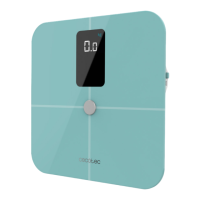
Tap your foot on the scale to activate the display. Wait until the display shows “0.0”kg.
Step on the scale with bare feet to start measuring. Stay on Surface Precision App’s homepage.
Note: If you step on the scale with socks, the scale will only measure weight and BMI.
Make sure you are keeping the correct posture during measuring to ensure accurate results.
Note: If you quit the App’s homepage, data will not syncrhronise on the App.
The digits on the display will ash when the scale is weighing and analysing.
After the weight is locked, your phone will receive all the data from the scale.
Then, it will start tracking body balance. Stay straight on the scale, adjust your body to get
equal weight during testing.
When you stand steady and still during ashing, your nal total weight (left weight and right
weight) will be displayed.


 To Next Page
 Loading...