4
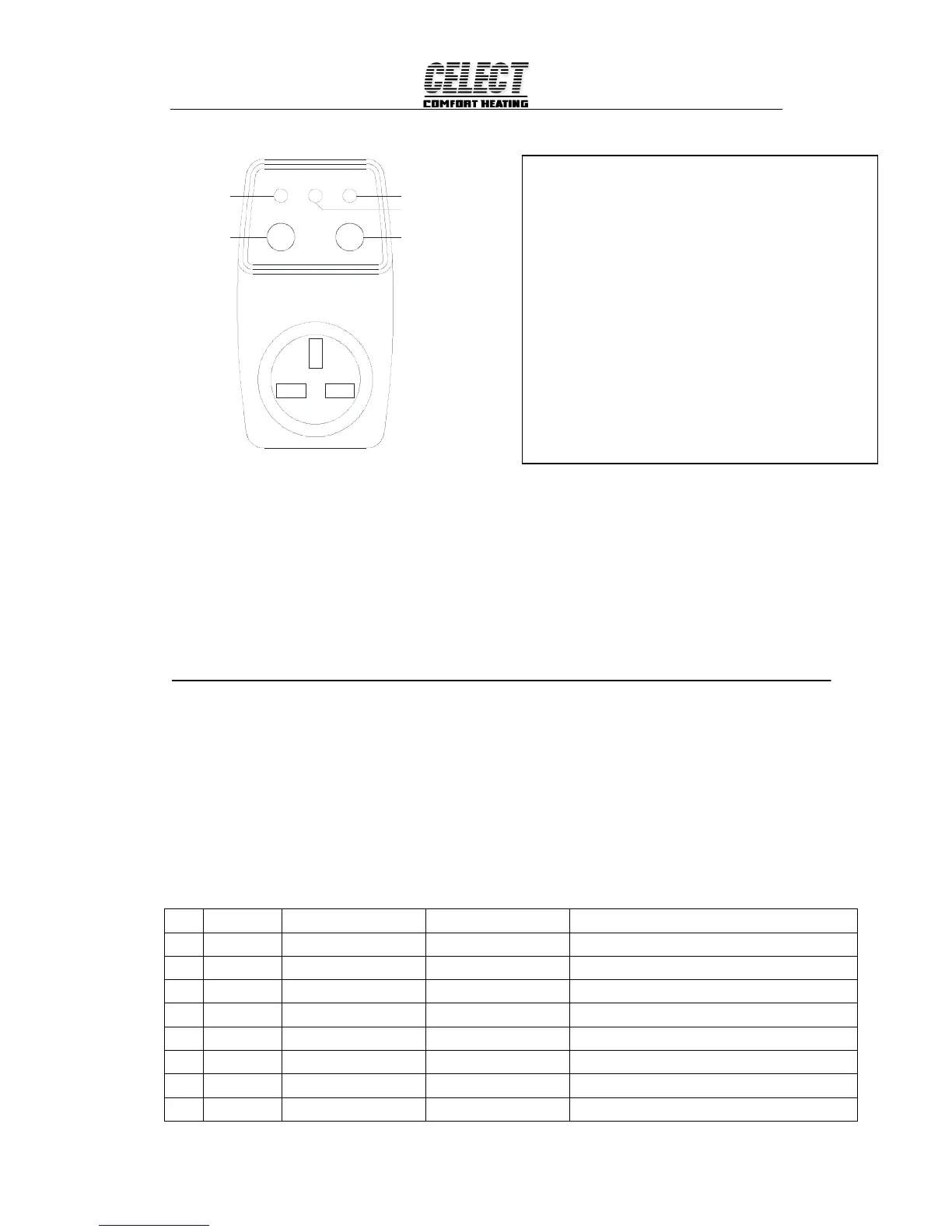
SIGNAL RECEIVE/LEARN(YELLOW)
SWITCH AND LED DESCRIPTION OF RECEIVER
SIGNAL RECEIVE/LEARN(YELLOW)
SIGNAL ON
ON/OFF BUTTON
RXD/LEARN ONPOWER
POWER(RED)
LEARN BUTTON
REMOTE CONTROL
ON/OFF
LEARN
Figure 4
Wireless signal confirm
1) Plug the power switch with 230VAC power, Then the power light will be on(Red).
2) Long press the button LEARN ,the light RXD/LEARN will on (Yellow).
3) Then load the 2 AA battery into the transmitter. After five second . Then the yellow light will flash
in several seconds. When it going out. It states the wireless control between thermostat and the power
switch established.
4) Then roll the knob of the transmitter , make the setting temp > room temp , then the heating icon will
display in the LCD , please check if the receiver plug light change to green . If it is , the
communication between the transmitter and the receiver plug is working
OPERATION
1. Configuration Menu
The configuration menu allows you to set certain thermostat operating characteristics to your system
or personal requirements. Shortly press button ① to make sure the thermostat is in anti-freeze mode.
Hold button ③ for 3 seconds to enter the configuration menu. The display will show the first item in the
configuration menu. Press button ③ to shift to the next menu item. Use ▲ or ▼to select. To exit the
menu , press button ① revert to the anti-freeze mode . Press button ④ revert to the program operation.
If no buttons are pressed within 20 second the thermostat will exit the menu. To revert to factory default
setting , push ▲ or ▼ button in a same time for 3 seconds. Display will show “DEF” blinking 3 times
and return to Menu item 1 indicates all the configuration setting has reverted to factory default setting.
Step Press buttons
Displayed(factory default) Press▲ or ▼to select
Descriptions
1
③
01 (0) -3 --- +3 Select temperature display adjustment higher or lower
2
③ 02 (35℃) 18℃(64℉)—35℃(95℉)
Select maximum setting temperature limitation.
3
③ 03 (5℃) 5℃(41℉)—20℃(68℉)
Select minimum setting temperature limitation.
4
③ 04 (℃) ℃/℉
Select temperature display to
℃ or ℉
5
③ 05 (FA)
FA/SL Select fast heating or slow heating
6
③ 06 (OO)
PP/OO Select pump protection PP, Cancel pump protection OO
7
③ 07 (24)
12 or 24 Selection of time scale
8
③
08 (7) 3or7 Programming day in one week option
Special feature
Intelligent Recovery: See configuration menu item 6-
Intelligent Recovery operation.
SELF CHECK FUNCTION : IF THE RECEIVER DID NOT
RECEIVE THE SIGNAL FROM THE TRANSMITTER FOR
ONE HOUR, THE RECEIVER WILL POWER ON THE
HEATER BOILER. AND AFTER 24 HOURS., THE
RECEIVER STILL NOT RECEIVING THE SINAL . ITS
YELLOW LIGHT WILL FLASH ALARM THAT THER
MAYBE SOMETHING WRONG WITH THE
THERMOSTAT. IF THERE IS A SIGNAL CONTACT. THEN
THE YELLOW LIGHT STOP FLASHING. AND THE
THERMOSTAT WILL RUN AS THE SCHEDULE SETTING.



 To Next Page