The CR-150 HD • 9
The tripod comes fully assembled with the metal plate, called the tripod head, that
holds the legs together at the top. In addition, the brackets that support the acces-
sory tray are also attached to the tripod.
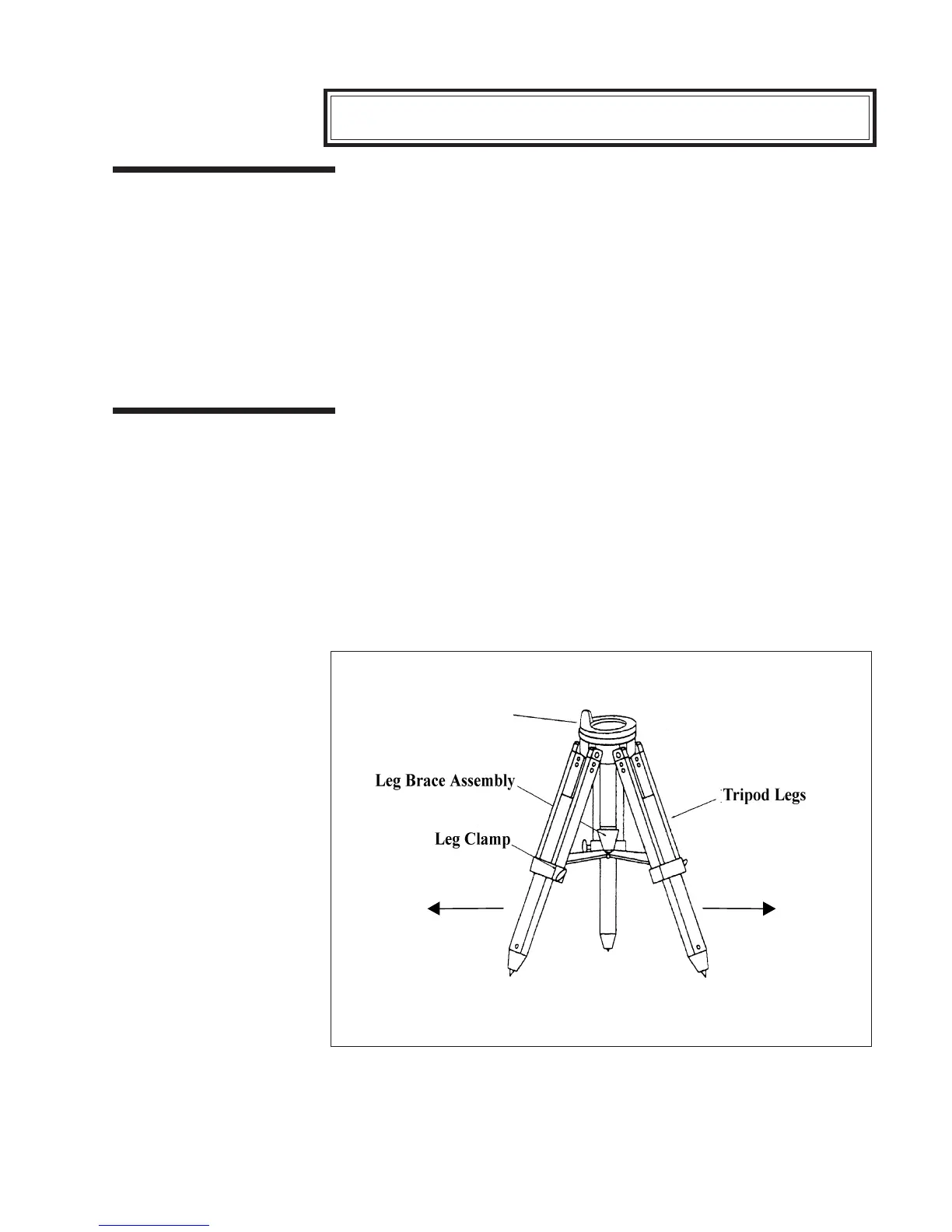
Stand the tripod upright and pull the tripod legs apart until the leg brace
assembly for the accessory tray is fully extended (see figure 2-2). The tripod
will now stand by itself. To increase the stability, tighten the bolts that hold
the legs to the tripod head (use the appropriate size wrench from the supplied
set). This will help minimize any flexure or wobble of the legs.
Once the tripod is set up, you can adjust the height at which it stands. To do
this:
1. Loosen the knob on the leg clamp so that the tripod leg can be adjusted.
2. Slide the center portion of the tripod leg away from the tripod head until it is at
the desired height.
3. Tighten the knobs on each leg clamp to hold the legs in place.
Setting Up the TripodSetting Up the Tripod
Setting Up the TripodSetting Up the Tripod
Setting Up the Tripod
Adjusting the TripodAdjusting the Tripod
Adjusting the TripodAdjusting the Tripod
Adjusting the Tripod
HeightHeight
HeightHeight
Height
Figure 2-2
Setting up the tripod requires nothing more than pulling the tripod legs away from the
tripod head. The height at which the tripod stands can be adjusted by sliding the slats
in the center of each leg toward or away from the tripod head.
Assembling the CG-5 Equatorial Mount
Tripod Head



 To Next Page