12 | ENGLISH
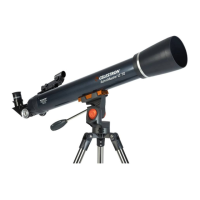
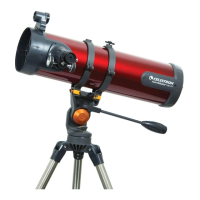
Astro Fi TELESCOPE
BONUS SOFTWARE Your purchase includes software for your computer. You don’t need
to download this software to use your telescope, but it can enhance your experience.
MINIMUM SYSTEM REQUIREMENTS
Windows:
• Windows 7 or higher
• 500MHz or higher processor
• 128 MB RAM
• 850 MB hard disk space
• 32 MB OpenGL-capable graphics card
• Monitor with 1024x768 pixel resolution (recommended)
Mac:
• Universal binary (PPC/Intel-compatible)
• OS X 10.4 or higher (10.5 or higher for Elementary)
• G3 450 MHz or higher processor
• 128 MB RAM
• 850 MB hard disk space
• 32 MB OpenGL-capable graphics card
• Monitor with 1024x768 pixel resolution (recommended)
Celestron Starry Night Astronomy Software
Celestron Starry Night, the premier astronomy software
on the market, takes you on a guided tour of our Solar
System’s past, present, and future. It can help you learn
about the night sky and plan your next observing session.
Use Starry Night to model exactly how the night sky
will appear from your backyard, a neighboring town, or
anywhere on Earth.
NEED ASSISTANCE? Contact Celestron Technical Support
celestron.com/pages/technical-support
Product design and specifi cations are subject to change without prior notifi cation.
This product is designed and intended for use by those 14 years of age and older.
©2025 Celestron. Celestron and Symbol are trademarks of Celestron, LLC. • All rights reserved. • Celestron.com
US: Celestron, 2835 Columbia Street, Torrance, CA 90503 USA
UK: Celestron Global Ltd., Unit 2 Transigo, Gables Way, Thatcham RG19 4JZ, United Kingdom
Made in China | 01-25
celestron.com/pages/warranty
SAFETY INSTRUCTIONS
• There is a risk of explosion if the battery is replaced with an
incorrect type.
• The included battery is not rechargeable.
• Only use the battery as originally intended to avoid a short circuit.
Connecting the conductive material directly to the battery’s positive
and negative sides will cause a short circuit.
• Do not use a damaged battery.
• Do not store the battery in an extremely cold or hot environment.
Doing so can reduce battery life.
• Remove batteries if drained or if product is to be left unused for
a long time.
• When replacing the battery, refer to the instruction manual and
ensure the positive and negative sides are oriented correctly.
• Do not put the battery in fi re.
• Dispose of the battery according to local regulations.
FCC NOTICE: This device complies with Part 15 of the FCC Rules. Operation is subject
to the following two conditions: (1) This device may not cause harmful interference, and (2)
this device must accept any interference received, including interference that may cause
undesired operation.
SOLAR WARNING: Never attempt to view the
Sun through any telescope.







 To Next Page