6 I ENGLISH
Remove the battery compartment cover, insert the battery with
the cathode facing inward, then replace the battery compartment
cover tightly and turn on the device. Once the screen is illumi-
nated, the Celestron NV-2 Night Vision Scope is ready to use.
IMPORTANT:
• Only use the correct battery model
• The battery must be fully charged
• The battery must be installed correctly
(cathode facing inward)
POWER ON
• Remove the objective lens cap.
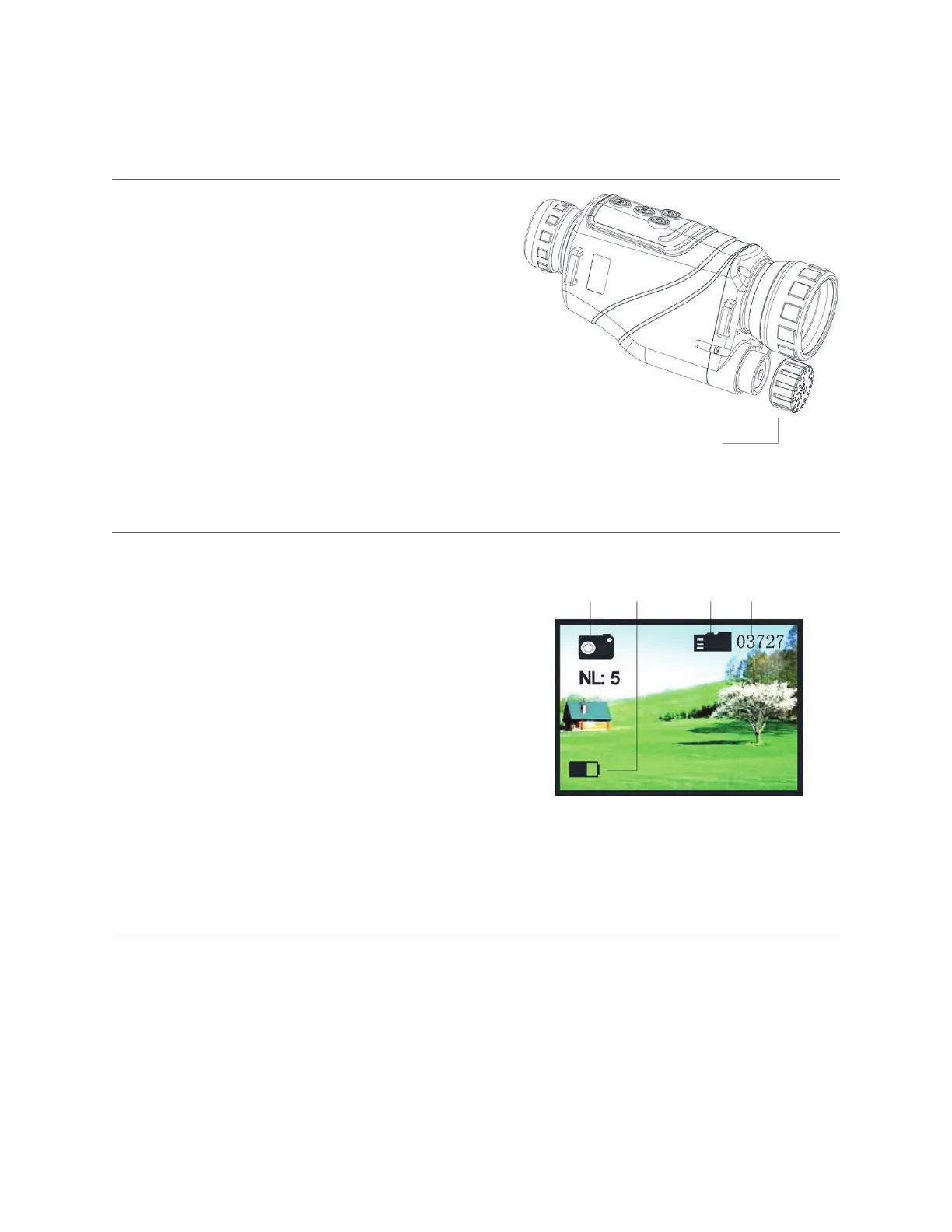
• Press the Power Button (9) one time. Look through eyepiece
(10). Once you see the screen is turned on (like the picture on
the right), the device is working.
What the icons mean:
1. Photo mode
2. Battery life
3. Memory card is installed
4. The number of pictures that can be recorded based on the
memory capacity
BATTERY INSTALLATION
OPERATING INSTRUCTIONS
Battery
Compartment Cover
POWER OFF
Press and hold the Power Button (9) for 3 seconds to turn off the Celestron NV-2 Night Vision Scope.
1 2 3 4



 To Next Page