ENGLISH I 9
PLAYING BACK
• Press the Mode Button (8) to enter playback mode. All
video and images saved on the memory card will be
recognized and automatically played back.
• Press the +/- Button (6 & 7) to select files. Press the Enter
Button (9) to play and pause the playback.
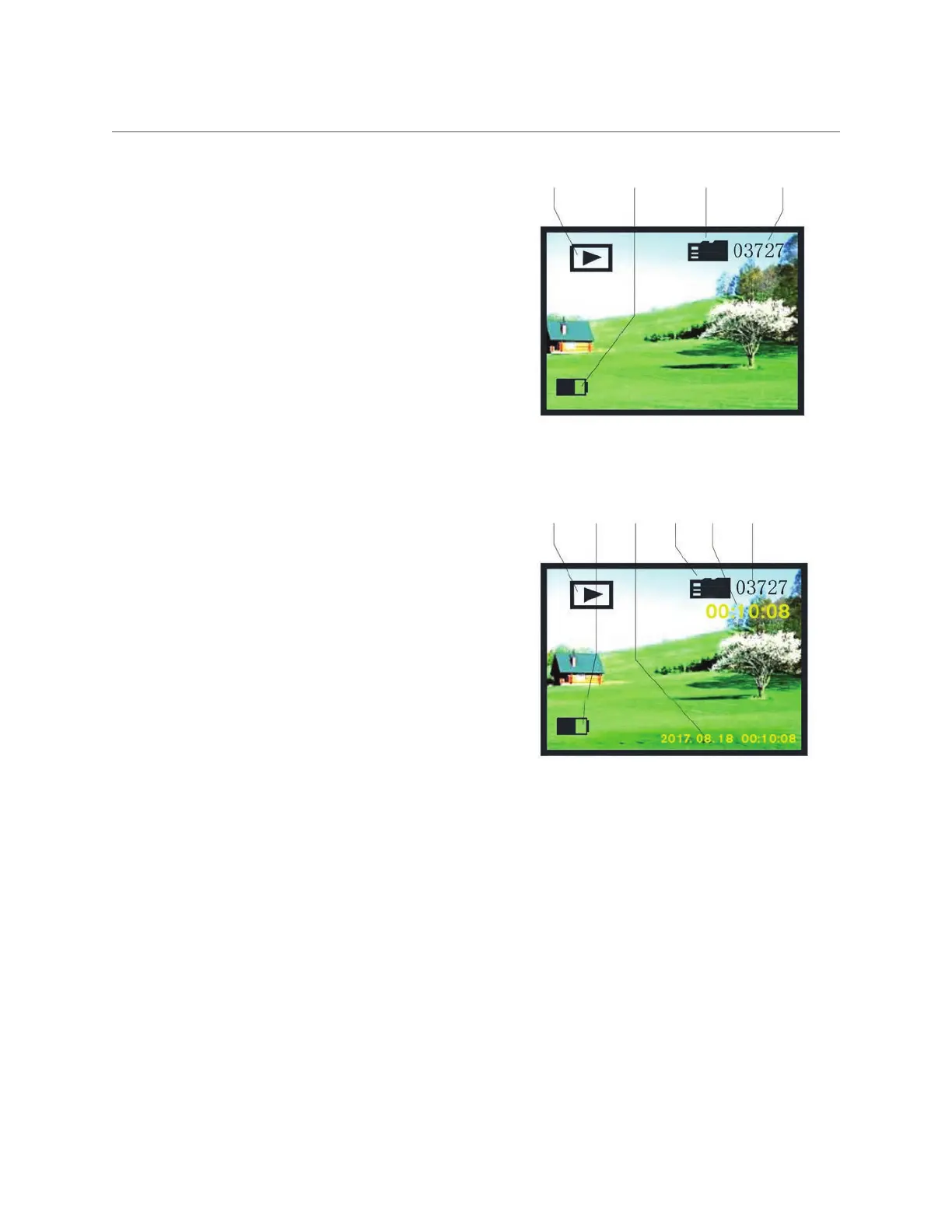
What the icons mean in Photo Playback:
1. Playback mode
2. Battery indicator
3. Memory card is installed
4. Total number of files saved
What the icons mean in Video Playback:
1. Playback mode
2. Battery indicator
3. Date and length of the video
4. Memory card is installed
5. Length of the video
6. Total number of files saved
1 2 3 4 5 6
1 2 3 4



 To Next Page