9
To adjust the stop positions
Please note that any damage caused by incorrect tempering of the stop positions
will not be covered under the warranty.
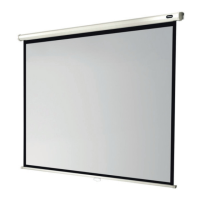
Lower Limit — Adjusting the lower stop limit is only possible when
the screen is fully extended. To extend the lower limit, turn the ‘lower
limit’ Allen key hole clockwise.
Upper Limit — Adjusting the upper stop limit is only possible when
the screen is fully retracted into the housing. To adjust the upper limit,
turn the ‘upper limit’ Allen key hole clockwise.
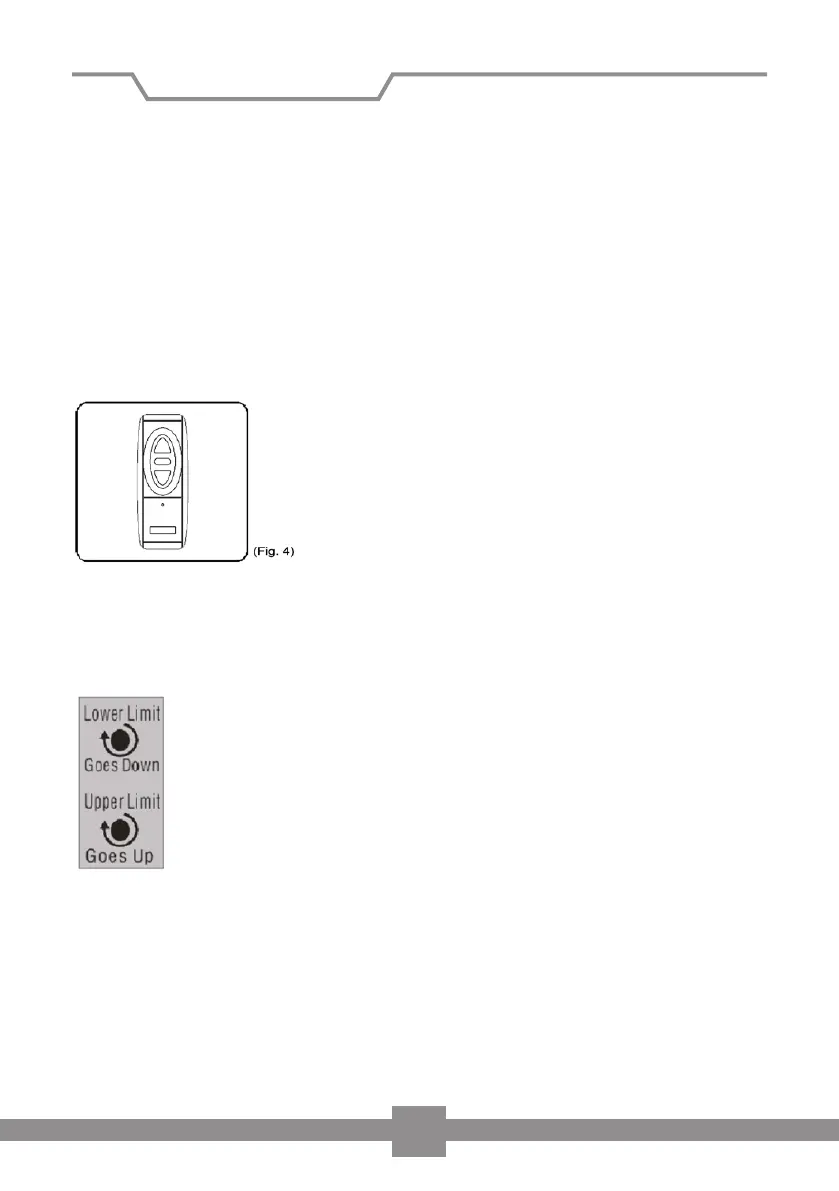
Wireless operation (g 4) (Optional)
To lower the screen:
If you press the lower button on the remote control, the screen will automatically
lower itself and stop at the lower stop position (when fully extended).
To retract the screen:
If you press the top button on the remote control, the screen will automatically
retract into its housing and stop when fully retracted.
To stop the screen:
If you wish to stop the screen, then press the middle button on your remote control.
Installation of screen


 To Next Page