8
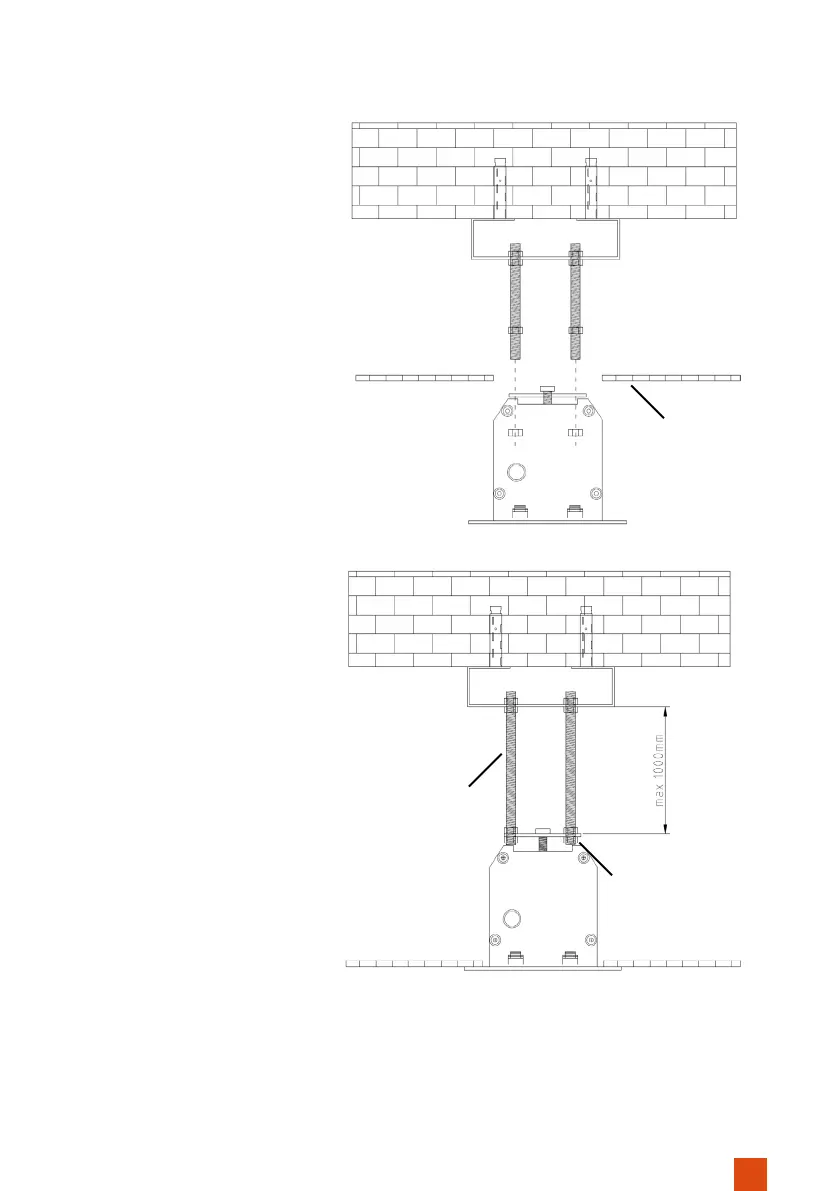
Insert the screen into the
cut-out opening in the cei-
ling. Make sure that the four
threaded rods go through
the holes in the mounting
plates.
Now turn a hexagon nut on
each threaded rod to secure
the screen.
STEP 4: MOUNTING THE SCREEN
Now correct the position
of the screen with the help
of the hexagonal nuts to
ensure a totally horizontal
position in the ceiling. Use a
spirit level to ensure perfect
alignment of the screen.
Suspended
Ceiling
Hexagonal
nut
Threaded rods


 To Next Page