4
OPERATING INSTRUCTIONS
1. Remove the cable tie and unravel the cord set before operation.
2. DO NOT use outdoors.
3. Plug fan into a 220V~ 50Hz outlet.
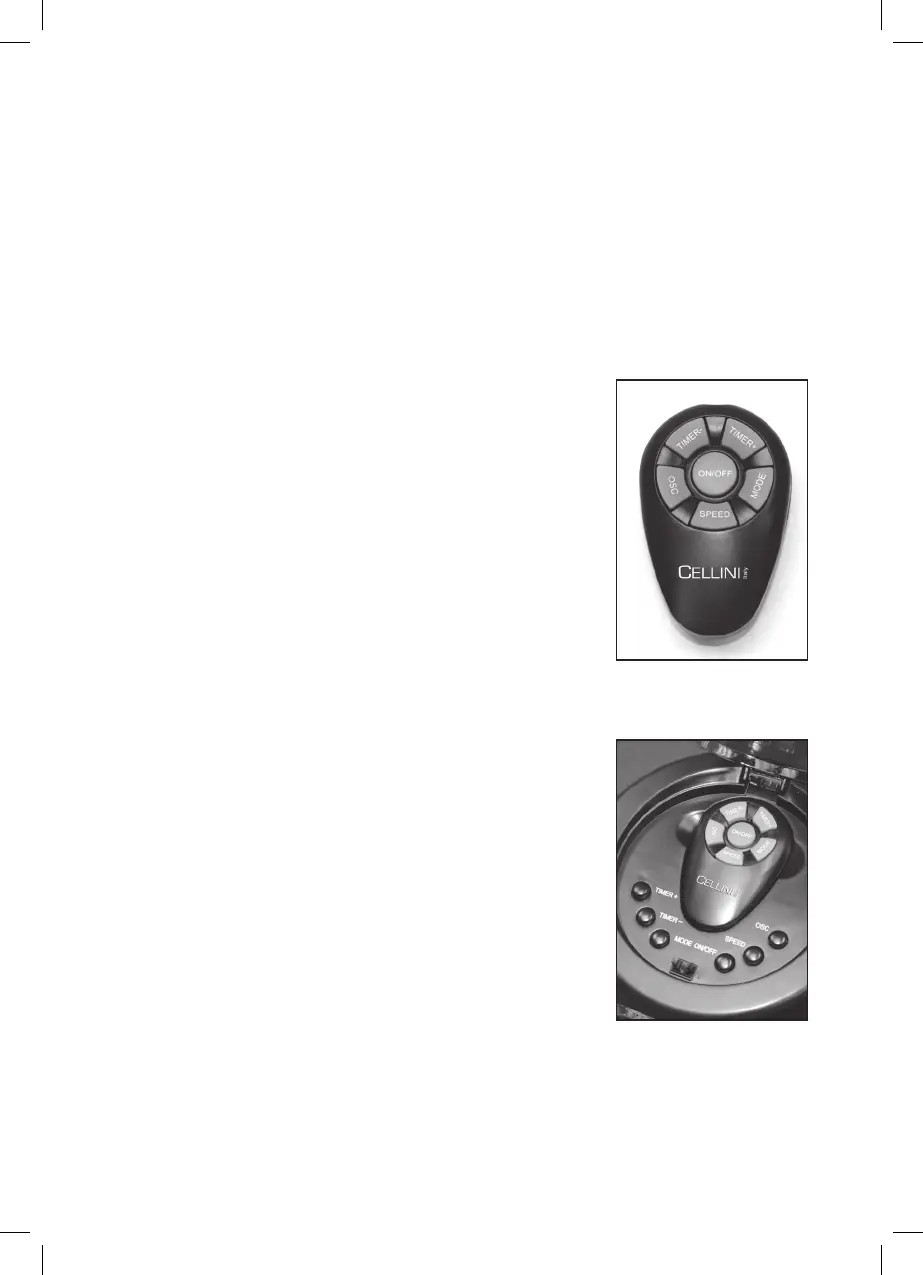
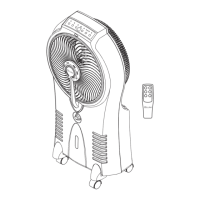
The control panel and the remote of this fan are equipped with an LED display
and 6 functions (Power, Speed, Oscillation, Timer+, Timer- and Mode). For your
convenience, the buttons on the remote are designed to function in the same
way as the keys on the fan’s control panel. The LED display has lights that illumi-
nate to indicate the fan’s active functions.
On/Off: Press this button to power the fan ON. When the
fan is ON, the power light on the LED display will be
illuminated. Once the fan is ON, you may proceed to set the
following functions. To power OFF, press this button again.
Osc : To activate the oscillation function for widespread
breeze distribution, simply press this button. To turn off the
oscillation function for a targeted breeze setting, press the
button again.
Timer+ : This button sets the duration of operation before
the fan automatically turns OFF. Pressing this button will
increase the time of operation in 1 hour increments to a
maximum of 12 hours. The total time selected is indicted by
the light(s) illuminating at 1H, 2H, 3H, etc., on the LED
display.
Timer- : This button sets the duration of operation before the
fan automatically turns OFF. Pressing this button will
decrease the time of operation in 1 hour increments from 12
hours to a minimum of 1 hour. The total time selected is
indicted by the light(s) illuminating at 1H, 2H, 3H, etc., on the
LED display.
Speed : Choose from 3 comfort settings (HIGH, MED, LOW)
by pressing this button until the speed you want is indicated
on the LED display.
Mode : Choose from 3 different breeze patterns (Sleep,
Nature, Normal) by pressing this button until the type of
breeze desired is indicated on the LED display.
REMOTE CONTROLLER
LED DISPLAY


 To Next Page