11
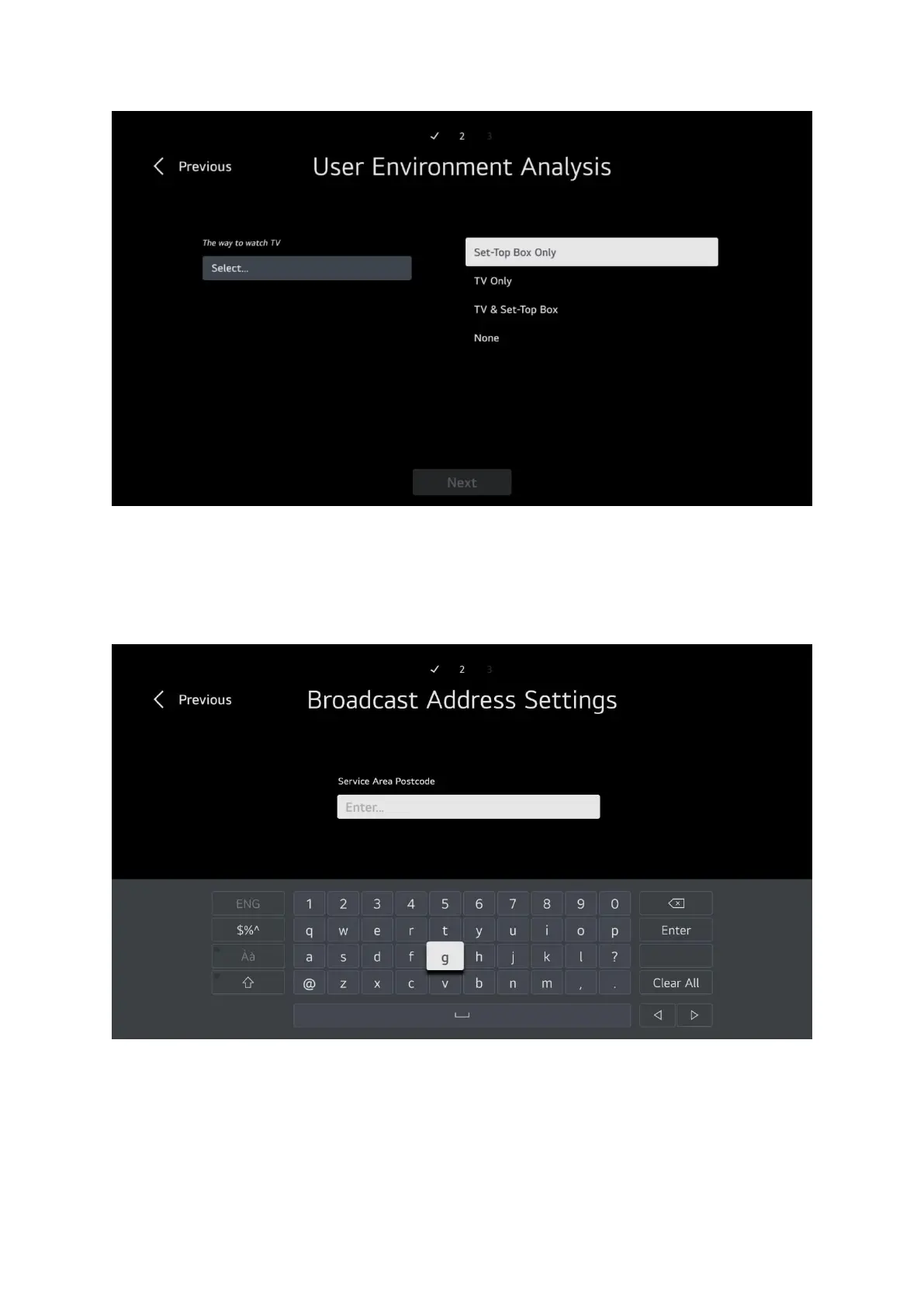
You need to specify how you will use the TV, if you will use an external box such as SKY or Virgin then
choose set top box only, if you have no external box then choose TV only or if you will use both the
set top box and the TV then choose TV & Set Top Box, if you will not watch any kind of TV and only
use apps/DVD then select None. Please note you may only get 2 options depending on what is
connected to the TV at the time of installation. Whatever you choose select Next then press OK.
Please enter your postcode, this is required for getting the correct regional broadcast variations.
Then select Next and press OK on your remote.


 To Next Page