21
Changing Source
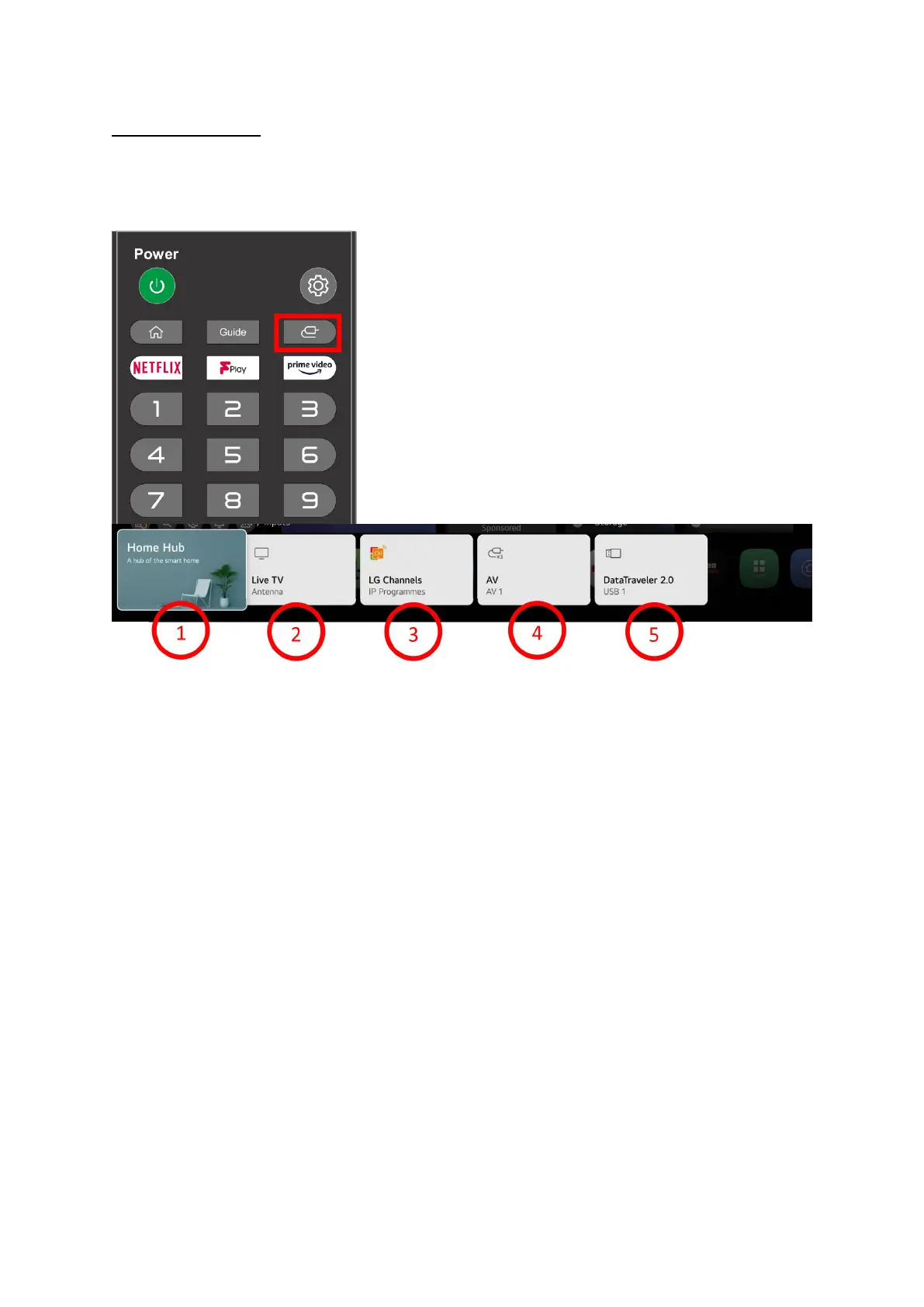
To change source on the TV press this button on the TV and a row of options will appear at the
bottom of the screen.
The actual list will depend on what you have plugged in
The actual options you will see will vary depending on what is currently plugged into the TV sockets
1. Home Hub. If you have any items also connected to ThinQ you can see them here.
2. Live TV. This is either Aerial channels or satellite depending on what is tuned in and viewed
last.
3. LG Channels if you accepted extra channels during First time installation you can view them
here.
4. AV. This is the built in DVD you can also access this by pres
sing the DVD button on the
remote.
5. Storage if you have a USB or other storage device plugged in it will show here otherwise you
will not see this.
If you have things plugged in via HDMI you will see them. You can select what input you want and
press OK on your remote to go to that item.


 To Next Page