22
How to download apps from the WebOS App Stor e (WiFi is required to use apps)
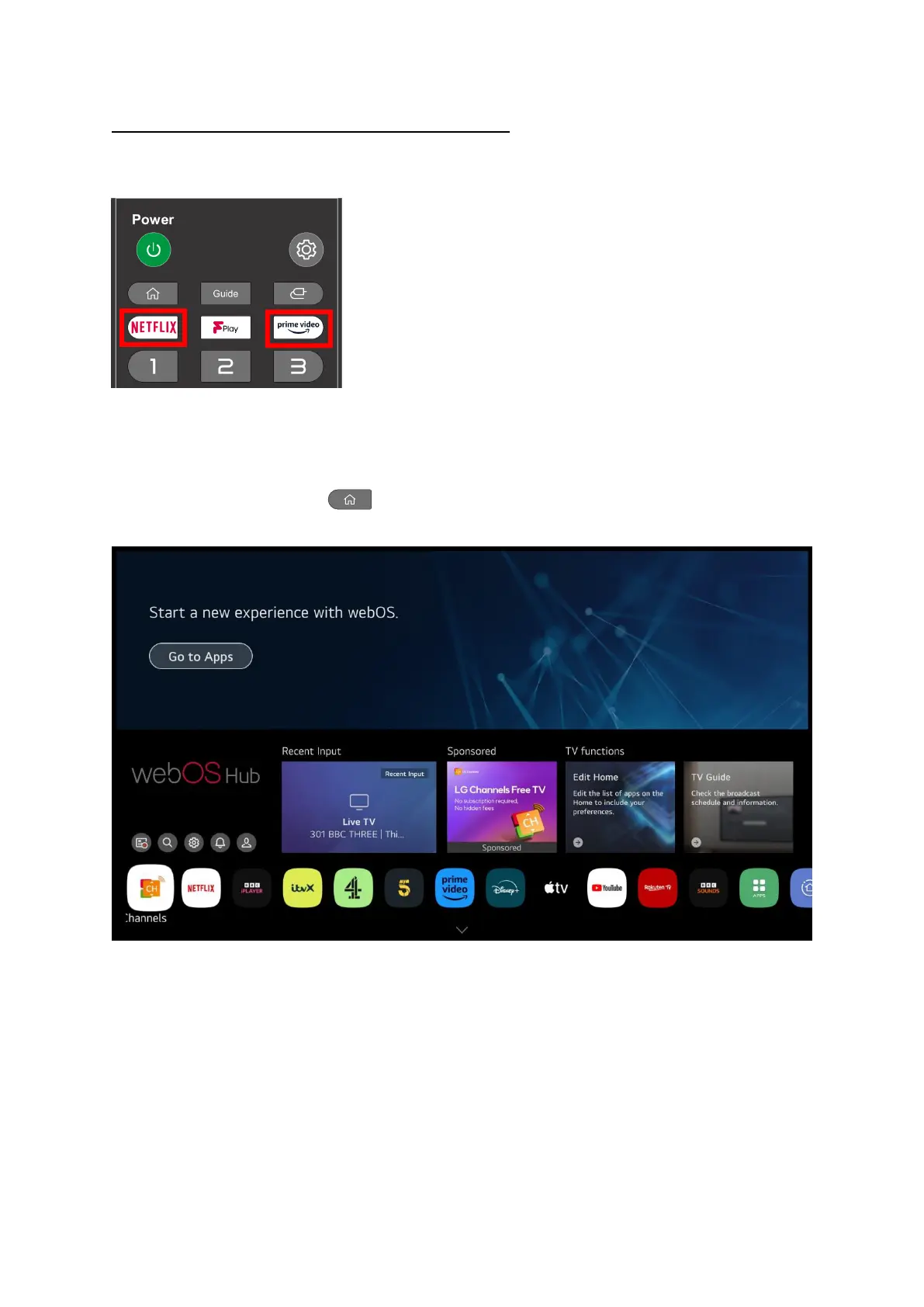
You can quickly jump to Netflix or Prime Video by pressing the appropriate button on your remote
control.
These apps require subscriptions to be able to access them, if you are accessing them for the first
time you will need to log in or sign up to a subscription.
If you press the Home button on the remote you will see the Home Screen with a row of
apps along the bottom of the screen
You can select any of the apps and press the OK button to enter that app, some apps require a paid
subscription to be able to use them. Most apps require a login even if they are free like BBC iPlayer.
You will need to login to the following apps for Freeview Play to work properly:
BBC iPlayer, ITV X, More 4, My 5 and UKTV play.
The first 4 can be found on the apps already installed but UKTV Play you need to get from the app
store.
This is the process to find and install it, the same process can b
e us
ed to install any app you can find
in the app store, if you can’t find it in the app store it is not available.


 To Next Page