23
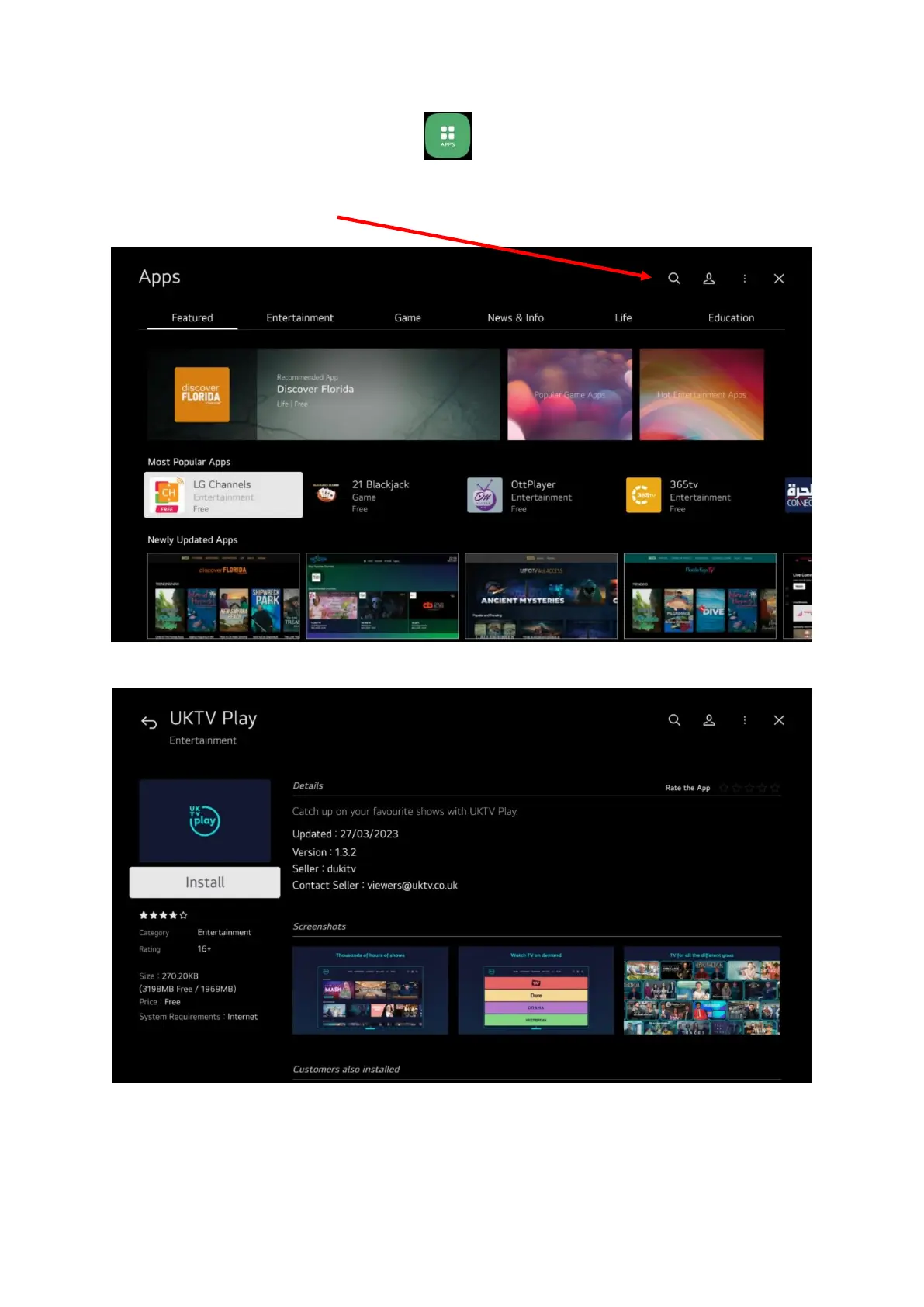
On the row of app icons select the apps one:
If you can’t see the app you want in our case UKTV play then you need to search for it so select the
search at the top of the screen
Then type in UKTV play and press the OK button
Select it and press OK button to install it, it will then appear on the list of apps on the Home screen.
This process can be used to find and install any app from the app store.


 To Next Page