32
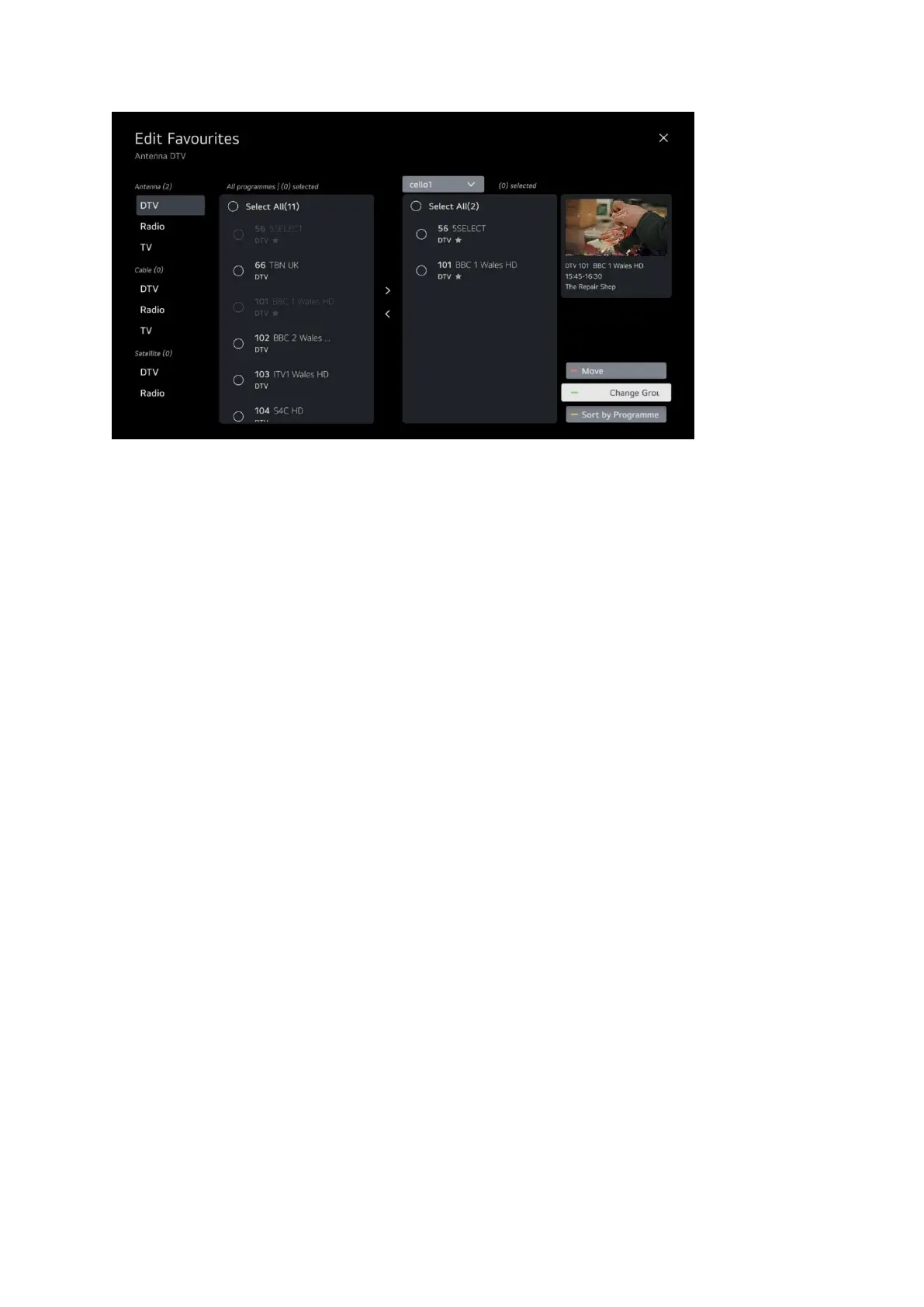
To add programs to your list highlight them in the left hand list and click OK for the circle to turn
green and then use the right arrow between the two lists to transfer them.
To remove programs from your list highlight them in the right hand list and click OK for the circle to
turn green and then use the left arrow between the two list to remove them.
To edit your list name press the green button on your remote and follow the steps from earlier in
the guide for naming your list.


 To Next Page