Testing Your Batter y
14
Performing a battery test.
1.
Getting Started:
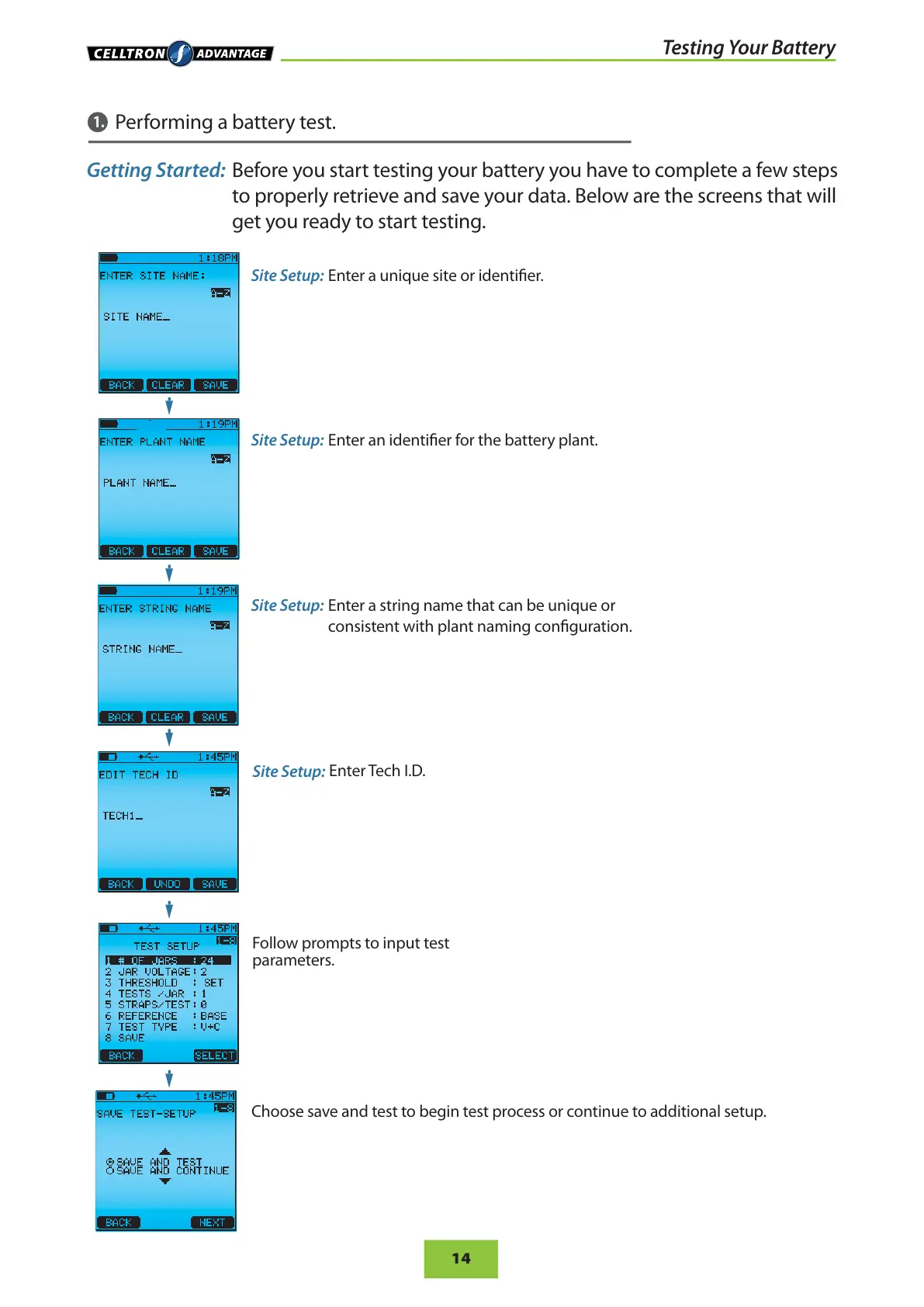
Before you start testing your battery you have to complete a few steps
to properly retrieve and save your data. Below are the screens that will
get you ready to start testing.
Site Setup:
Enter a unique site or identier.
Site Setup:
Enter an identier for the battery plant.
Site Setup:
Enter a string name that can be unique or
consistent with plant naming conguration.
Site Setup:
Enter Tech I.D.
Follow prompts to input test
parameters.
Choose save and test to begin test process or continue to additional setup.


 To Next Page