Navigation Help / Quick Navigation
9
Quick Navigation
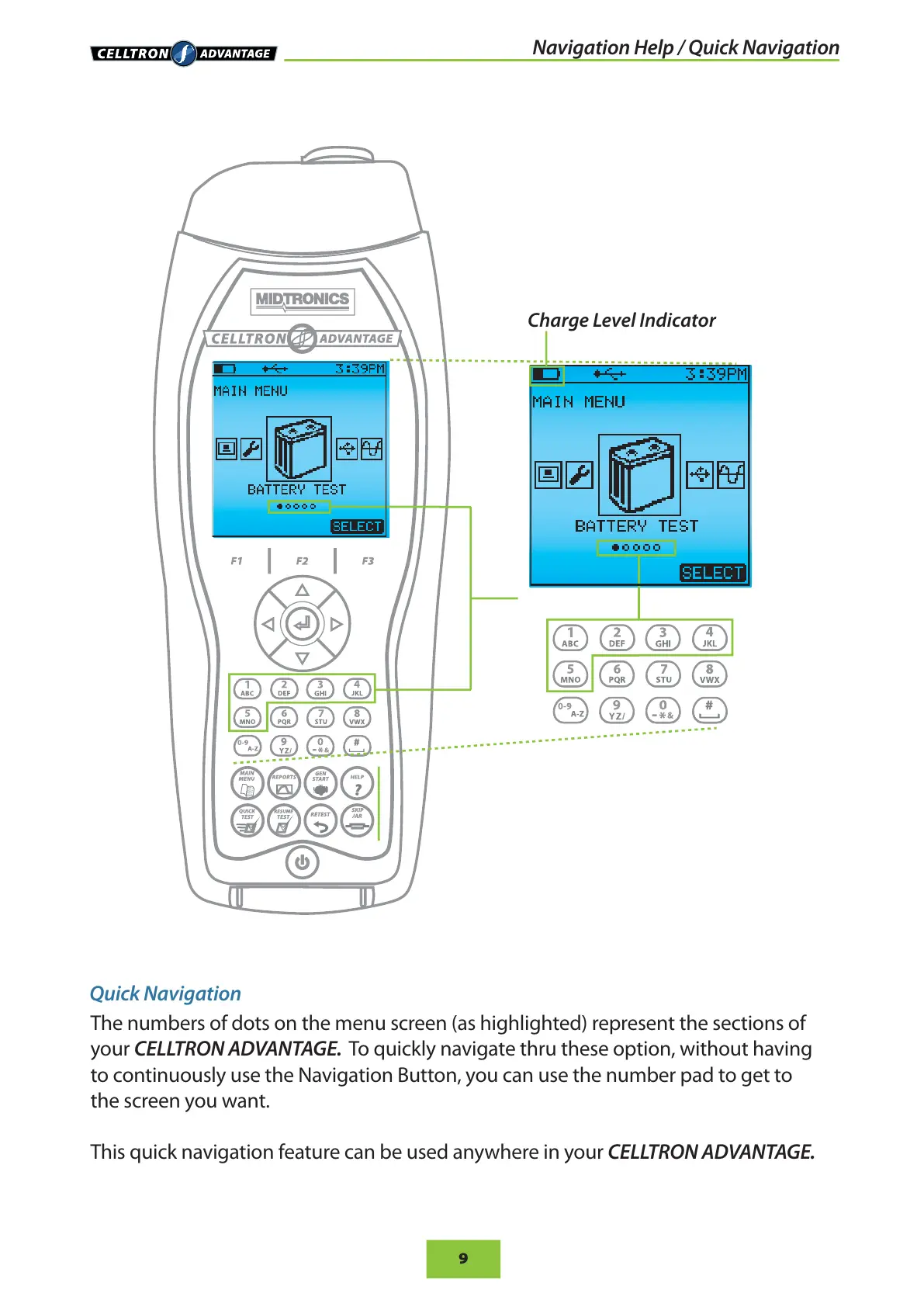
The numbers of dots on the menu screen (as highlighted) represent the sections of
your CELLTRON ADVANTAGE. To quickly navigate thru these option, without having
to continuously use the Navigation Button, you can use the number pad to get to
the screen you want.
This quick navigation feature can be used anywhere in your CELLTRON ADVANTAGE.
Charge Level Indicator


 To Next Page