IT
EN
FR
ES
DE
PT
1414
FEATURES
•Fullduplexcommunication
•DSPlter(digitalcancellationofechoandbackgroundnoise)
•Communicatesupto500meters(inanopeneld)
•Automatic volume adjustment (according to speed and
backgroundnoise)
•Lithiumbattery
•Talktime:upto10hours
•Standbytime:upto700hours
•Chargingtime:3hours
•Dimensions:90x46x20(mm)
•Weightofmodule:42g
•Weightofspeaker:150g,includingcableandaluminium
bracket
NOTES ON PERFORMANCE
Duringintercomcommunication,oneofthetwoINTERPHO-
NEunitsdrawsmorefromitsbattery.Thisisduetothewi-
relesssearchprocedurethatthemoduleinquestioncarries
outinordertostayconnectedtotheother module, which
mayleadtoadierenceinautonomyof60-90minutes.
PRODUCT DESCRIPTION
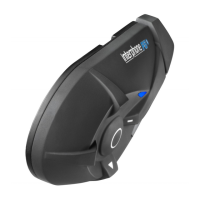
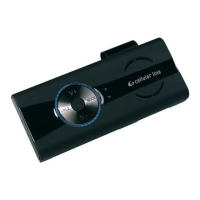
Bluetooth® module
1.MFB(multifunctionbutton)
2.Speaker/microphonejack
3. VOLUME + button
4. VOLUME - button
5. LED indicator light
6.Pinsformountingmoduleonbracket
Mounting bracket for Bluetooth® module
7.Cableclasp
8.Snap-onguidesformodule
9. Magnets
10. Metal mounting clip
Speaker
11.Speakerunit
12.Connectorwithmicrophone
13.Velcrowithbi-adhesivestrip
14.Speakercablewith3.5mmjackplugandmicrophone
PACK CONTENTS
•Bluetooth®module
•Plasticmountingbracketwithmagnet
•Metalsunvisorclip
•Speakerwithmicrophone
•Cablewithmicrophoneand3.5mmjackplug
•Mainsbatterycharger
1 FIRST USE
1.1 Charging
The INTERPHONE CAR KITmustbechargedbeforeuse.
Connectthebatterychargertoa110-220Vsocketandinsertthe
charge plug into the INTERPHONE CAR KITchargingsocket.
The LED indicator light turns red during charging.
Whentheunitisfullycharged,theLEDwillturngreen.
1.2 Installation
MOUNTING THE MODULE
AfterinstallingthebracketontheBluetooth®module(with
thesidecontainingthemagnetsfacingoutwards),graspthe
moduleandinsertitdownwardsintotheguide.
Check thatthe Bluetooth® moduleis correctly locked into
positionbytryingtopullitupwardsandout.
Place the metal clip on the sun visor and mount the module
usingthemagnetsonthebracket.
CONNECTING THE MODULE TO THE SPEAKER
Aftermountingthemoduleonthesunvisor,placethespea-
kerinthedesiredpositioninsidethecar.UsetheVelcrowith
bi-adhesivestrip,orusethemountingbracket.
Afterthespeakerhasbeenpositioned,insertthejackplug
intothejackatthebottomofthemodule.
NOTE: For best conversation quality, it’s a good idea to
mountthespeakerinsidethecarataminimumdistanceof
60cmfromthemodule.
USING THE CABLE WITH 3.5 MM JACK PLUG
Ifthestereosysteminyourcarhasa3.5mmAUXjack,the
systemcanbeusedtolistentointercomconversations.
Insertthe3.5mmjackplugonthecableprovidedwiththe
unitintotheAUXinputjackinthecar,plugtheconnector
into the speaker/microphone socket and, if necessary, set
thestereosystemtoplayfromtheAUXinput.
1.3 Turning the unit ON/OFF
TOTURNON:
HolddowntheMFBbuttonforapprox.3seconds.Thespe-
akerwillemitatoneandtheLEDwillbegintoashquickly
forapprox.3seconds.
Afterwards,the unitwill bein the stand-bymode andthe
LEDwillashapprox.every5seconds.
TOTURNOFF:
Hold down the MFB button. The speaker will emit a long
toneandtheLEDwillashredbeforeturningo.
2 PAIRING THE INTERPHONE CAR KIT WITH AN INTER
PHONE F4
IfyouhaveanINTERPHONECARKITandanINTERPHONEF4
module,youcanconnectthetwotogetherintheIntercom
mode.
Afterturningthetwodeviceso,holddowntheMFBbutton
(forapprox.8seconds)untiltheLEDashesblueandredin
alternatingfashion.
Whenboth LEDsash blueand redin alternating fashion,
brieypresstheMFBbuttonontheINTERPHONECARKIT.
Afterabout15seconds,theLEDsonbothmoduleswillturn
onwithasteadybluelight,whichshowsthattheconnection
has been established and that Intercom communication has
beenactivatedautomatically.
2.1 Using the Intercom
To activate the Intercom function: To activate Intercom
conversation,presstheMFBbuttononeitherofthetwoIN-
TERPHONE CAR KITmodulesforaround3seconds.Atone
willbeemittedwhentheconnectionisestablished.
ConversationintheIntercommodeisfullduplex.
To deactivate the Intercom function: To deactivate the In-
tercomfunction,brieypresstheMFBbutton.
To adjust the volume:Toadjustthevolume,presstheVo-
lume + or Volume - buttons until the desired volume level
is reached.
To activate the Mute mode: You can disable the micro-
phone(MUTEmode) by pressingtheVolume – buttonfor
around3seconds(atonewillsoundwhenthemicrophoneis
deactivated).WhenthesystemisintheMUTEmode,theLED
willashintermittently and atonewillbe emittedevery8
secondstoremindyouthatthedeviceisintheMUTEmode.
To deactivate the Mute mode: To deactivate the MUTE
mode,presstheVolume + buttonforaround3seconds (a
tonewillbeemittedwhenthemicrophoneisdeactivated).
The INTERPHONE CAR KIT features handset/hands-free
profiles for connecting to a mobile phone through a
Bluetooth connection.
3 PAIRING THE INTERPHONE CAR KIT WITH A MOBILE
PHONE
AfterturningotheINTERPHONE CAR KIT, hold the MFB
button down (for approx. 8 seconds)until theLED ashes
blueandredinalternatingfashion.
When the LED ashes blue and redin alternating fashion,
search for devices fromthe phone (seethe mobile phone
manualforinstructions).
When the phone detects the INTERPHONE CAR KIT, select it
and enter number code 0000.
3.1 Operation
Answering a call: Thespeakerwillemitawarningtoneor
ringtonetosignalanincomingcall.Toanswerthecall,brie-
ypresstheMFBbutton.
Ending a call: Toendacall,brieypresstheMFBbutton.
Voice-activated dialling: On some mobile phones, you can
placeavoice-activatedcallbypressingtheMFBbuttonbriey.
Refusing a call:Torefuseanincomingcall,holddownthe
MFBbuttonforaround4seconds.
Adjusting the volume:Toadjustthevolume,presstheVo-
lume + or Volume - buttons until the desired volume level
is reached.
4 BLUETOOTH® SPECIFICATIONS
Bluetooth®:
v2.1 EDR
Supported profiles:
Headset–Hands-free–A2DP/AVRCP
Pairing:
up to 8 devices



 To Next Page