Need help?
Do you have a question about the Cellularline Interphone Connect and is the answer not in the manual?
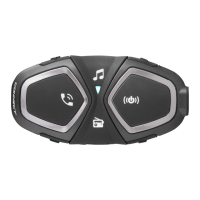
Introduces the CONNECT Interphone as a wireless helmet device for communication.
Details battery care, impermeability, and general safety guidelines for device usage.
Outlines key features like Intercom, Phone/GPS, FM Radio, and Music capabilities.
Lists all items included in the product package.
Provides step-by-step visual guide for installing device components onto a helmet.
Explains the function of each button and basic operations like power and volume control.
Details battery charging, LED indicators for status, and low battery warnings.
Describes switching on dual and single unit versions, including pairing mode initiation.
Guides users on how to select the desired voice guidance language.
Defines the order of priority for managing simultaneous audio sources like phone, intercom, and music.
Details how to change language, automatic volume, VOX, RDS, and voice response settings.
Explains pairing the device with other intercoms, including manual, previous series, and non-Interphone devices.
How to initiate and end a conversation between two paired units.
Advice for optimizing intercom stability and audio quality during group calls.
Guides on pairing the device with mobile phones and GPS devices via Bluetooth.
Explains how to manage incoming and outgoing calls using the device's commands.
Notes on using multiple phones, voice call features, and compatibility.
Details how to hear GPS voice prompts and compatibility considerations.
Instructions on turning on/off, searching stations, and saving favorite stations.
Provides advice on FM reception quality and potential interference.
How to play, pause, and select tracks from connected Bluetooth devices.
Explains how to share music with another Interphone user.
Notes on Bluetooth profiles for music and sound quality factors.
 General
| Bluetooth Version | 4.2 |
|---|---|
| Talk Time | 15 hours |
| Standby Time | 1000 hours |
| GPS | Yes |
| FM Radio | Yes |
| Smartphone App | Yes |
| Waterproof | IP67 |
| Voice Assistant | Yes |
| Multi-Pairing | Yes |
| Weight | 55 g |

 To Next Page