Need help?
Do you have a question about the Cellularline U-COM 6R and is the answer not in the manual?
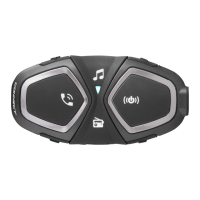
Details the components and physical features of the U-COM 6R headset unit.
Lists all items included in the U-COM 6R package.
Instructions for attaching the main unit to a helmet using adhesive or clip-on brackets.
Covers powering the device on/off, adjusting volume, and charging.
Steps to connect the U-COM 6R to smartphones or motorcycle TFT systems.
Instructions for pairing a second mobile phone with the headset.
Guides on connecting the U-COM 6R to GPS navigation devices.
How to handle incoming and outgoing phone calls, including answering and ending.
Using Siri and Google Assistant via voice commands with the headset.
Setting up and using speed dial numbers for quick phone calls.
Instructions for playing music from Bluetooth-enabled devices.
Enables sharing music with another U-COM unit during an intercom conversation.
Steps to pair multiple U-COM or compatible intercom units.
How to start, stop, and manage intercom conversations.
Information on pairing with older Interphone series devices.
Enables intercom conversations with non-Interphone Bluetooth devices.
Details the priority order for connected devices like phone and intercom.
Guidance on updating the headset's firmware using PC or app.
Instructions on how to enter the headset configuration menu.
Clears all previously stored Bluetooth connections from the device.
Overview of settings configurable via Device Manager or UNITE app.
Configure phone numbers for quick dialing.
Enable voice commands for answering calls and initiating intercom.
Manage audio overlays, call quality, and intercom audio.
Select device language and manage voice prompt settings.
How to perform a basic reset of the unit when it malfunctions.
Restores the headset to its original factory default settings.
 General
| Multipoint Bluetooth | Yes |
|---|---|
| Water Resistance | IP67 |
| Music Sharing | Yes |
| GPS Instructions | Yes |
| Smartphone App | Yes |
| Color | Black |
| Type | Bluetooth Headset |
| Compatibility | Universal |
| Material | Plastic |
| Adjustability | Adjustable |

 To Next Page