13
10. TROUBLESHOOTING
Please visit www.interphone.com for video tutorials and answers to
frequently asked questions.
10.1 Fault reset
When the intercom does not work properly, it is possible to reset the unit
easily, by inserting a paper clip inside the reset hole, on the back of the main
unit and pressing gently.
Note: Reset after error will not restore the intercom to factory settings.
10.2 Factory reset
To erase all of your settings and start fresh, the headset can be restored to
factory default settings using the Factory Reset feature.
UCOM6R
5 sec
5 sec
5 sec
5 sec
x 1
x 1
x 2
x 3
TFT
UCOM16
Cascopilota
COLLEGAMENTI
UCOM6R
Bluetooth
®
devices pairing
Con guration
menu
Con guration
menu
Con guration
menu
Con guration
menu
Phone
pairing
Phone
pairing
Second
mobile phone
pairing
GPS pairing
Main phone pairing (to be done with unit on)
Second phone pairing (to be done with unit on)
Gps SATNAV & TFT pairing (to be done with unit on)
TFT
UCOM16
Rider’shelmet
CONNECTIONS
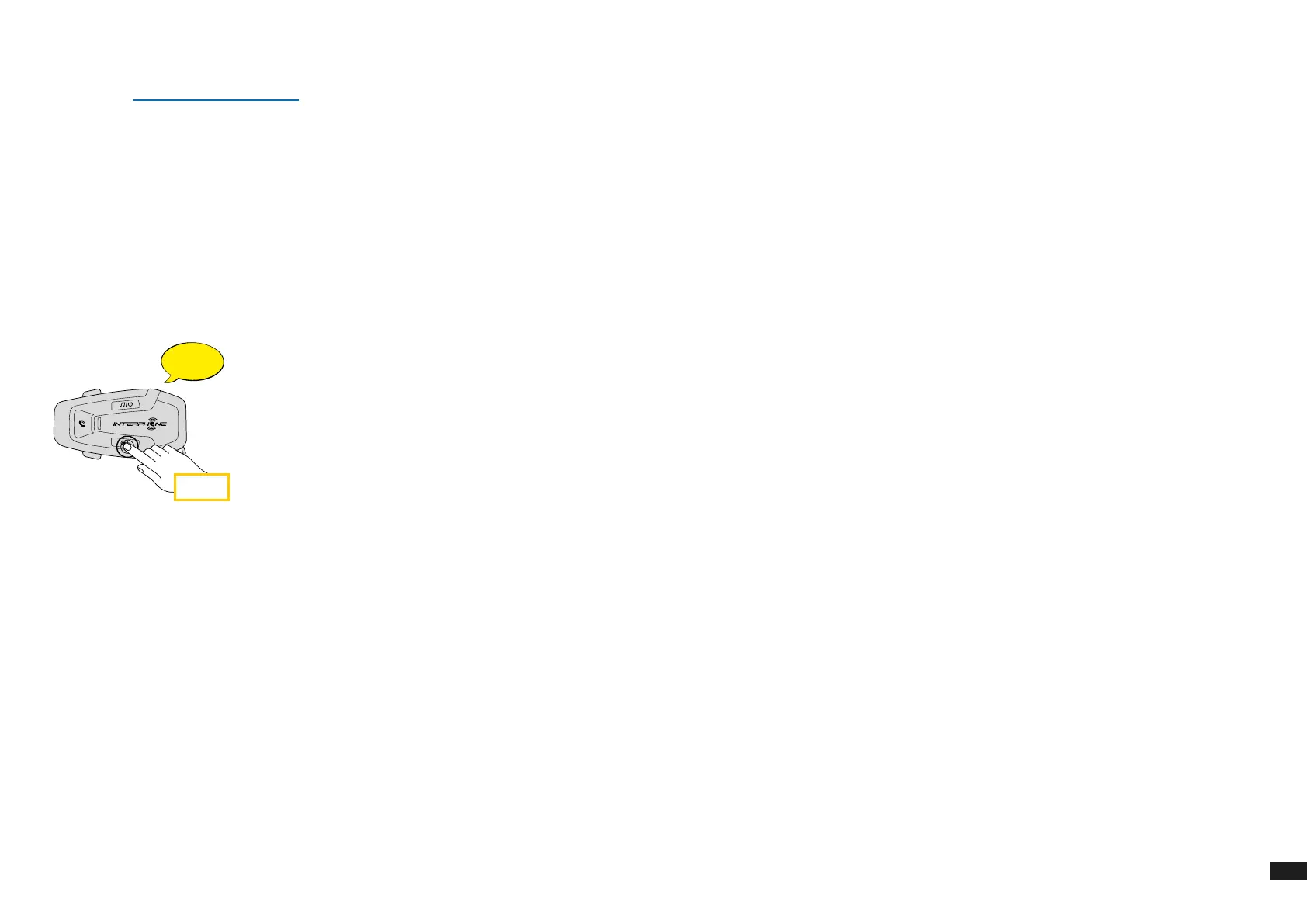
With U-COM 6R on, enter the conguration menu by pressing INTERCOM
button for 5 seconds. Be careful not to release the button before the
LED turns blue, you will hear the message conrming activation of the
conguration menu.
Press the VOLUME – button twice until you hear the message “Factory
reset”, press once the INTERCOM button to conrm. A voice announcement
will be issued to conrm: "Reset headphones, goodbye".


 To Previous Page