8
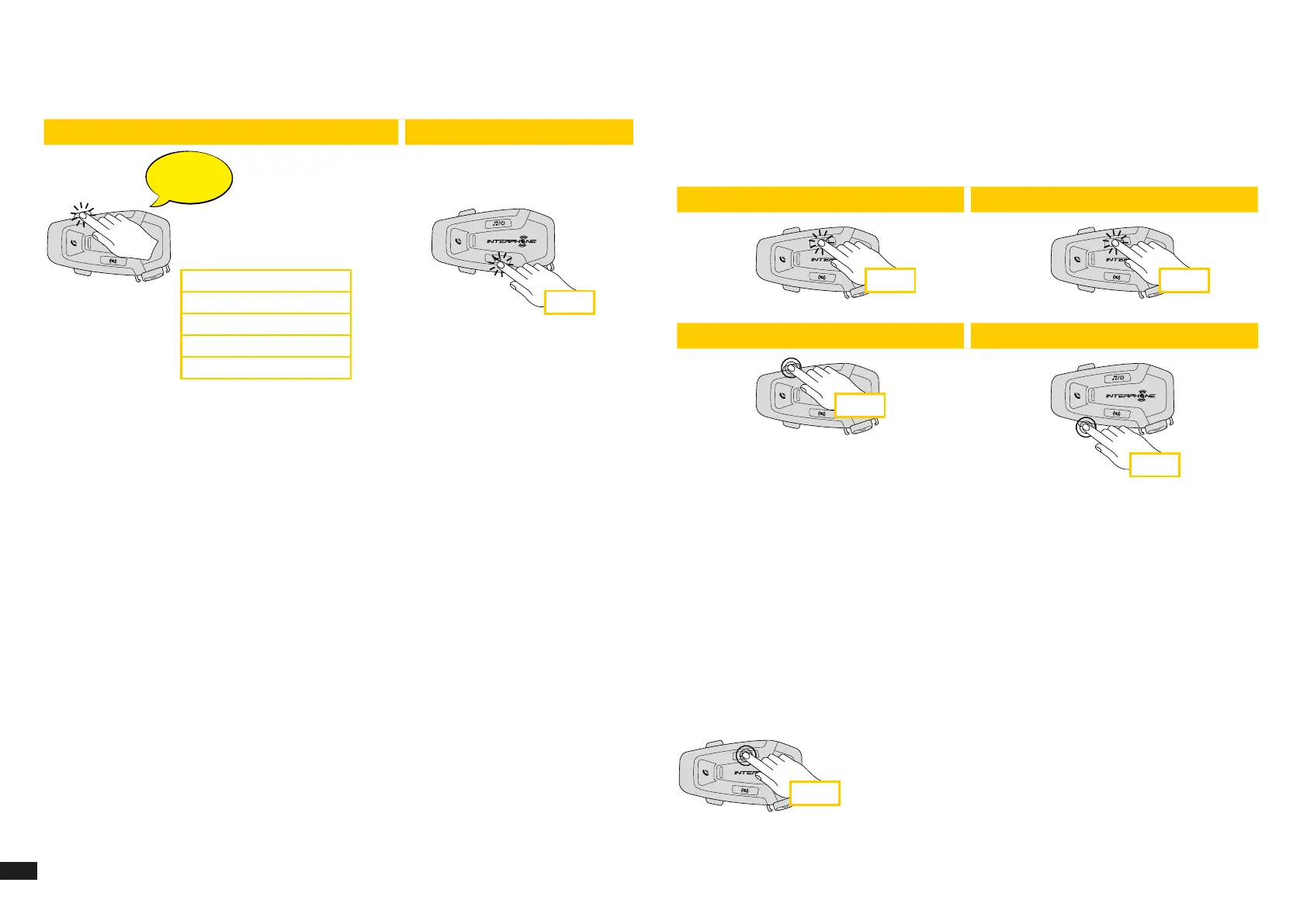
2. Navigate between the Speed Dial Preset with VOLUME + or VOLUME –
buttons, as indicated in picture here below. Select the wanted feature
with INTERCOM button.
Select one function Conrm selected funcion
Last number redial
Speed dial #1
Speed dial #2
...
Last number redial
Speed dial #1
Speed dial #2
Speed dial #3
Cancel (exit from menu)
x 1
6. MUSIC
6.1 Playing Music with Bluetooth
®
Devices
Interphone U-COM 6R can play music from Bluetooth
®
devices (smartphones,
MP3 players, Motorcycle TFTs etc ...) equipped with the A2DP prole. To play
music you need to pair these devices to INTERPHONE U-COM 6R.
1 sec
1 sec
x 1 x 1
Phone
Beep
Beep
Incoming call answer End call Reject incoming call
Phone assistant trigger Speed dial
Music
Music play Music pause
Next track Previous track
6.2 Music sharing
You can start sharing the music received from your phone with another
U-COM control unit, during a two-way intercom conversation.
Both control units can control the playback of music, eg example go to the
next track or the previous track.
Note: music sharing cannot be activated at the same time as an intercom
conversation.
To start / stop sharing music, activate rst the intercom conversation, then
press the MUSIC button for 2 seconds (until the second “beep”).
2 sec


 To Next Page