I
F
G
C
H
A
B
D
E
ENGLISH - 5 ENGLISH - 6
2 – Geng Started
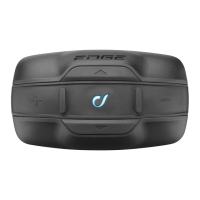
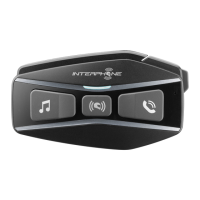
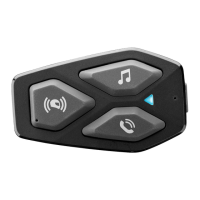
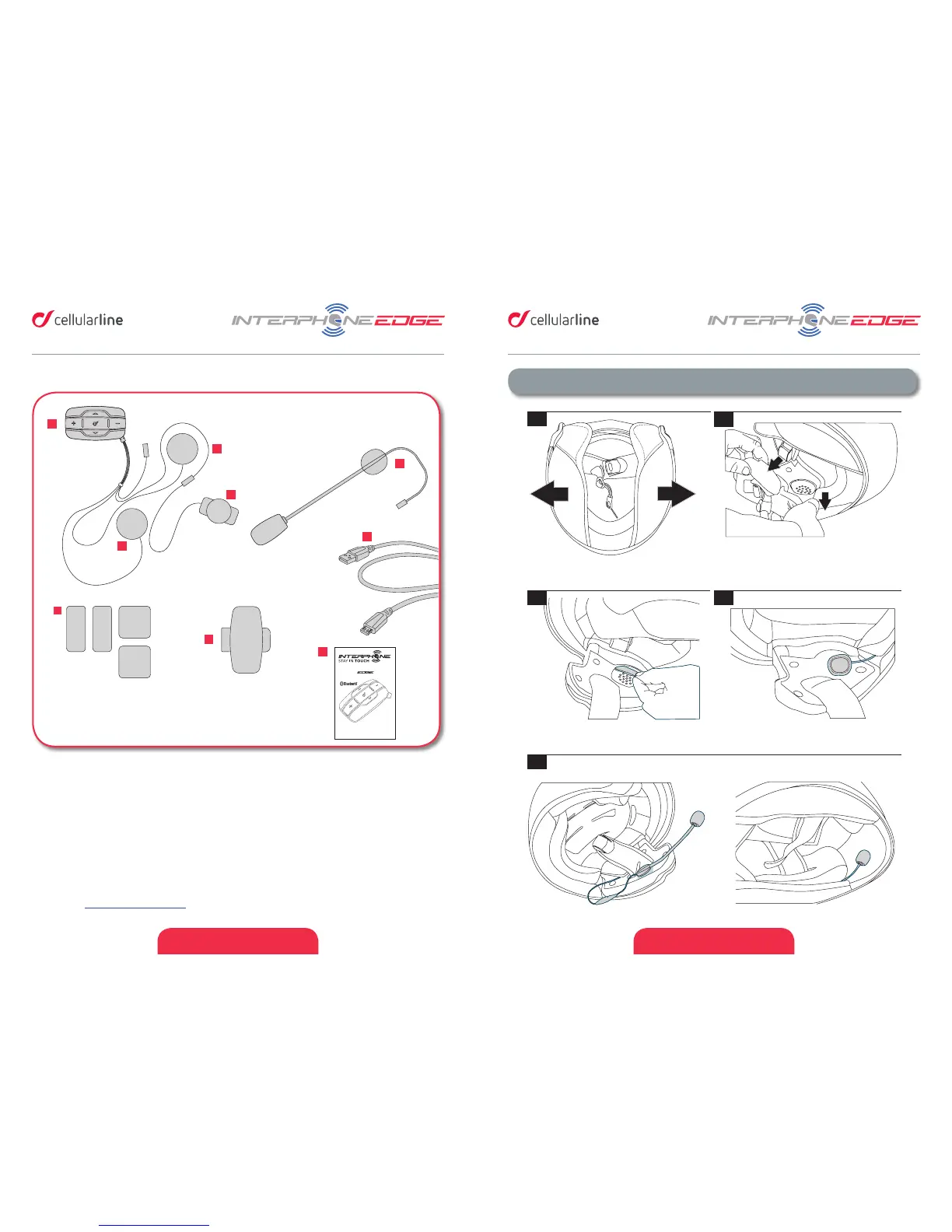
A. Bluetooth® unit
B. Microphone for full face helmet
C. Microphone for Jet/ip up helmet
D. Le speaker
E. Right speaker
F. Velcro set for speaker/mic + spare POP
wind protecon
G. Fixing plates
H. USB data cable
I. Quick guide
Please refer to quick guide for installing EDGE on your helmet, provided in the box (can be
also downloaded from Interphone website) , otherwise you can also check video TUTORIAL
on website www.interphone.com.
1.3 Box contents
Pic.1
1
3
2
4
5
6
7
8
MIC
5
2
1
3
6
4
1 - MFB Multifunction/on-o button
2 - Menu UP button
3 - Menu DOWN button
4 - + volume button
5 - – volume button
6 - Multifunction LED
* see the user manual
for complete instructions.
WARNING ON THE B ATTERY OF THE P RODUCT
Fully charge the ba ttery befo re using the prod uct for the fir st time.
Do not store the produc t withou t charging it. Failur e to do so may cause ir reversible da-
mage to the batte ry capacit y. Charge the ba ttery ever y TWO months .
WARNING ON THE WATE R RESISTAN CE OF THE PRODU CT
The external uni t (control unit) , connected t o the audio kit , is classifi ed IP67 according to
the IEC60529 standard. The cont rol unit, can ther efore be immersed in a mete r of fres h
water for a maximum o f 30 (thirty) min utes.
Despite this cla ssifica tion, th e device is no t immune to g reater st ress, such a s prolong ed
immersions or high pressure water jets.
Using th e pro duct during intense meteor ological pheno mena, at hi gh sp eeds, may b e
equivalent to subj ecting the p roduct to a high p ressure jet.
FOLLOW ALL SUGGESTIONS CAREFULLY TO AVOID DAMAGING THE DEVICE:
Do not immers e the prod uct in fres h water whi ch is more t han a metr e deep for m ore than
30 minutes.
Do not store the produc t when still wet : dry it with a clean , soft cloth.
Do not expose the produ ct to salt water or ion ised water, drink s or other liquids.
If the dev ice is ex posed to liquids ot her than fresh wa ter, wash t he device with co ld fresh
water and dry it caref ully with a clean , soft cloth.
Do not expose the produ ct to high pressur e water jets.
CHAPTER 1 – COMPO SITION OF TH E KIT
CHAPTER 2 – INSTALLATION INSTRUCTIONS
QUICK GUIDE
CHECK FOR SOFTWARE UPDATES ON WEBSITE
www.interphone.com
Locate the area in correspondence
with the ear
If possible, remove the two
cushions or padding
Position the strips of Velcro
for the speakers
Filp-up/jet helmet Full face helmet
Choose the microphone to use:
Place the speakers
(!) Warnings on inst allation :
1. The centre of the spe akers must be plac ed
in corresponde nce with t he ears, as close as
possible.
2. The mark ing “MIC ” on the microphon e
must be directed t owards the mout h.
Choose the bracket to use, to be attached on the le side of the helmet:
Sticker
Re-install the cushions
Bracket
Install the control unit
6
7
8
MIC
5
2
1
3
6
4
1 - MFB Multifunction/on-o button
2 - Menu UP button
3 - Menu DOWN button
4 - + volume button
5 - – volume button
6 - Multifunction LED
* see the user manual
for complete instructions.
WARNING ON THE BATTERY OF THE PRODUCT
Fully charge the battery before using the product for the first time.
Do not store the product without charging it. Failure to do so may cause irreversible da-
mage to the battery capacity. Charge the battery every TWO months.
WARNING ON THE WATER RESISTANCE OF THE PRODUCT
The external unit (control unit), connected to the audio kit, is classified IP67 according to
the IEC60529 standard. The control unit, can therefore be immersed in a meter of fresh
water for a maximum of 30 (thirty) minutes.
Despite this classification, the device is not immune to greater stress, such as prolonged
immersions or high pressure water jets.
Using the product during intense meteorological phenomena, at high speeds, may be
equivalent to subjecting the product to a high pressure jet.
FOLLOW ALL SUGGESTIONS CAREFULLY TO AVOID DAMAGING THE DEVICE:
Do not immerse the product in fresh water which is more than a metre deep for more than
30 minutes.
Do not store the product when still wet: dry it with a clean, soft cloth.
Do not expose the product to salt water or ionised water, drinks or other liquids.
If the device is exposed to liquids other than fresh water, wash the device with cold fresh
water and dry it carefully with a clean, soft cloth.
Do not expose the product to high pressure water jets.
CHAPTER 1 – COMPOSITION OF THE KIT
CHAPTER 2 – INSTALLATION INSTRUCTIONS
QUICK GUIDE
CHECK FOR SOFTWARE UPDATES ON WEBSITE
www.interphone.com
Locate the area in correspondence
with the ear
If possible, remove the two
cushions or padding
Position the strips of Velcro
for the speakers
Filp-up/jet helmet Full face helmet
Choose the microphone to use:
Place the speakers
(!) Warnings on installation:
1. The centre of the speakers must be placed
in correspondence with the ears, as close as
possible.
2. The marking “MIC” on the microphone
must be directed towards the mouth.
Choose the bracket to use, to be attached on the le side of the helmet:
Sticker
Re-install the cushions
Bracket
Install the control unit


 To Next Page
 Loading...