ENGLISH - 13 ENGLISH - 14
4.1.2 Pairing with an INTERPHONE unit (not EDGE).
With your unit in Standby mode (led BLUE (6) ashing):
1. press once the UP(2) buon and then press once the MFB (1) buon to acvate the
“SETUP” menu.
2. Press three mes the UP(2) buon to select “INTERCOM DEVICE SEARCH” feature,
press the MFB (1) unl the beep to start the search.
3. On the second Interphone unit with unit o, push and keep pressed the MFB buon
unl the alternate ashing red/blue of unit led.
4. Aer few seconds the units will be paired, intercom connecon will be automacally
started (led BLUE (6) on). To stop the intercom communicaon press once MFB (1)
buon on one of the two units.
4.1.3 Pairing with units not Interphone (other brands) - ANYCOM
With your unit in Standby mode (led BLUE (6) ashing):
1. press once the UP(2) buon and then press once the MFB (1) buon to acvate the
“SETUP” menu.
2. Press four mes the UP(2) buon to select “ANYCOM SEARCH” feature, press the
MFB (1) unl the beep to start the search.
3. On the second unit NOT Interphone start the “phone search/phone pairing mode”,
see user manual of NOT Interphone unit for more details.
4. Aer few seconds the units will be paired, intercom connecon will be automacally
started (led BLUE (6) on). To stop the intercom communicaon press once MFB (1)
buon on your EDGE unit.
4.2 Intercom communicaon between two units (from “INTERCOM” menu)
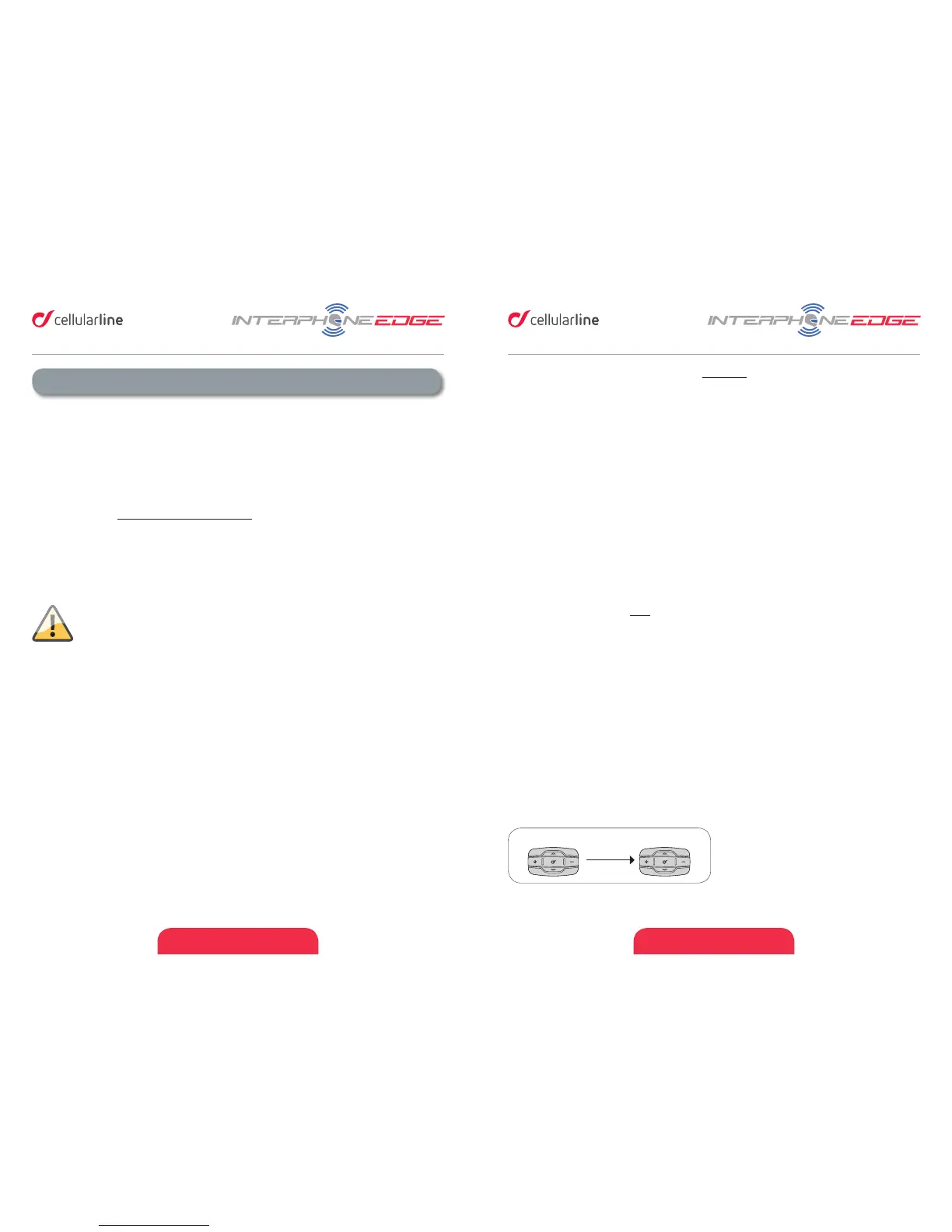
To start an intercom communicaon between your EDGE (unit nr1 Pic. 4) and another one
(unit nr2 Pic. 4) follow these steps:
1. Pair units 1 and 2 (chapters 4.1.1/4.1.2/4.1.3), this is necessary only once.
2. With your EDGE unit in Standby mode (led BLUE (6) ashing), press once the MFB
(1) buon, connecon will be started. The vocal guidance will prompt a message for
intercom acvaon, BLUE (6) led of EDGE units will lights up. To stop the intercom
communicaon press once MFB (1) buon on your EDGE, both units will go in
Standby mode.
1 2
Pic.4
4 – Intercom
EDGE allows intercom communicaon (INTERCOM) between mulple devices in
conference mode (people speak at the same me).
4.1 Pairing
Before starng the communicaon between headsets, is necessary to pair together the
units. This process has to be done only one me. EDGE will automacally recognize devices
previously paired.
EDGE is compable with all range of INTERPHONE device (also previous series) and by
ANYCOM funcon is also compable with other brands of helmet Bluetooth headsets.
Each EDGE can be paired to maximum two other units. To set the conference communicaon
between 3 and 4 users follow instrucon of Chapters 4.3/4.4.
If a EDGE unit has been paired with two dierent units, running a third
pairing, with another unit, will delete the pairing with rst unit.
4.1.1 Pairing with an INTERPHONE EDGE unit
With both units in Standby mode (led BLUE (6) ashing):
1. On your EDGE unit press once the UP(2) buon and then press once the MFB (1)
buon to acvate the “SETUP” menu.
2. Press three mes the UP(2) buon to select “INTERCOM DEVICE SEARCH” feature,
press the MFB (1) unl the beep to start the search.
3. On the other unit press UP(2) buon and then press once MFB (1) buon to acvate
the “SETUP” menu.
4. Press UP(2) buon two mes, the second EDGE unit will go in “PAIRING MODE”.
5. Aer few seconds the units will be paired, intercom connecon will be automacally
started (led BLUE (6) on). To stop the intercom communicaon press once MFB (1)
buon on one of the two units.


 To Next Page
 Loading...