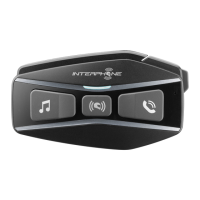
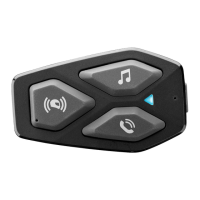
ENGLISH - 17 ENGLISH - 18
5 – Phone/GPS
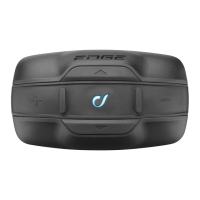
EDGE can be used together with Bluetooth® devices, as mobile phones, GPS devices, MP3
players.
To each EDGE unit is possible to connect, in the same me, max two Bluetooth® devices,
except when an INTERCOM conference is acve with three or four units (as described at
chapters 4.3 / 4.4).
5.1 Pairing
Before using the EDGE unit with these devices, is necessary to run the pairing procedure.
This is necessary only once, aer EDGE will automacally recognize and connect devices
already paired.
Pairing procedure
1. Start Bluetooth® service on mobile phone / GPS / MP3 player (check the device’s
user guide for more details).
2. With EDGE in Standby mode (led BLUE (6) ashing), press UP (2) buon and then
press MFB (1) buon to acvate “SETUP” menu. Press UP (2) buon twice, EDGE
will enter in “PAIRING MODE” .
3. Start searching for new Bluetooth® devices on mobile phone / GPS / MP3 player.
4. Aer few moments the device in searching mode will list “Interphone EDGE”. Select
it.
5. If prompted for a PIN number, type “0000” (four mes the zero number).
6. EDGE vocal guide will conrm the successful pairing with the message “PAIRING
SUCCESSFUL, CONNECTED TO PHONE”. EDGE will go in Standby mode, the led BLUE
(6) will ash twice, every three seconds.
7. If the Bluetooth® device ask authorizaon to phonebook access, conrm.
If you want to pair a second device, repeat the pairing procedure from step 1).
4.6 Intercom ps
Once acvated the intercom channel, communicaon remains acve unl it is manually
stopped by the rider. It is suggested to suspend the intercom conversaon, if not necessary,
to opmize baery life.
During the conference with three/four riders, in order to ensure the best system stability,
it is suggested to don’t connect other Bluetooth ® devices (phones, GPS, etc..) to the units.
The best behavior of the group conference is guarantee only using Interphone branded
intercom units.
“INTERCOM” audio quality is strongly inuenced by:
● proper installaon of speakers and microphone inside the helmet. Always check
very carefully that speakers are placed exactly on your ears, and microphone is
placed as close as possible to your mouth. Any error on these posions will cause
an important decrease of performances.
● environment (electromagnec interference, natural obstacles, etc.).
● aerodynamic protecon of your motorcycle.
● type of helmet used.


 To Next Page
 Loading...